Photographing wildlife - 7 ways a remote control app helps
By Ian Middleton · Travel & landscape photographer
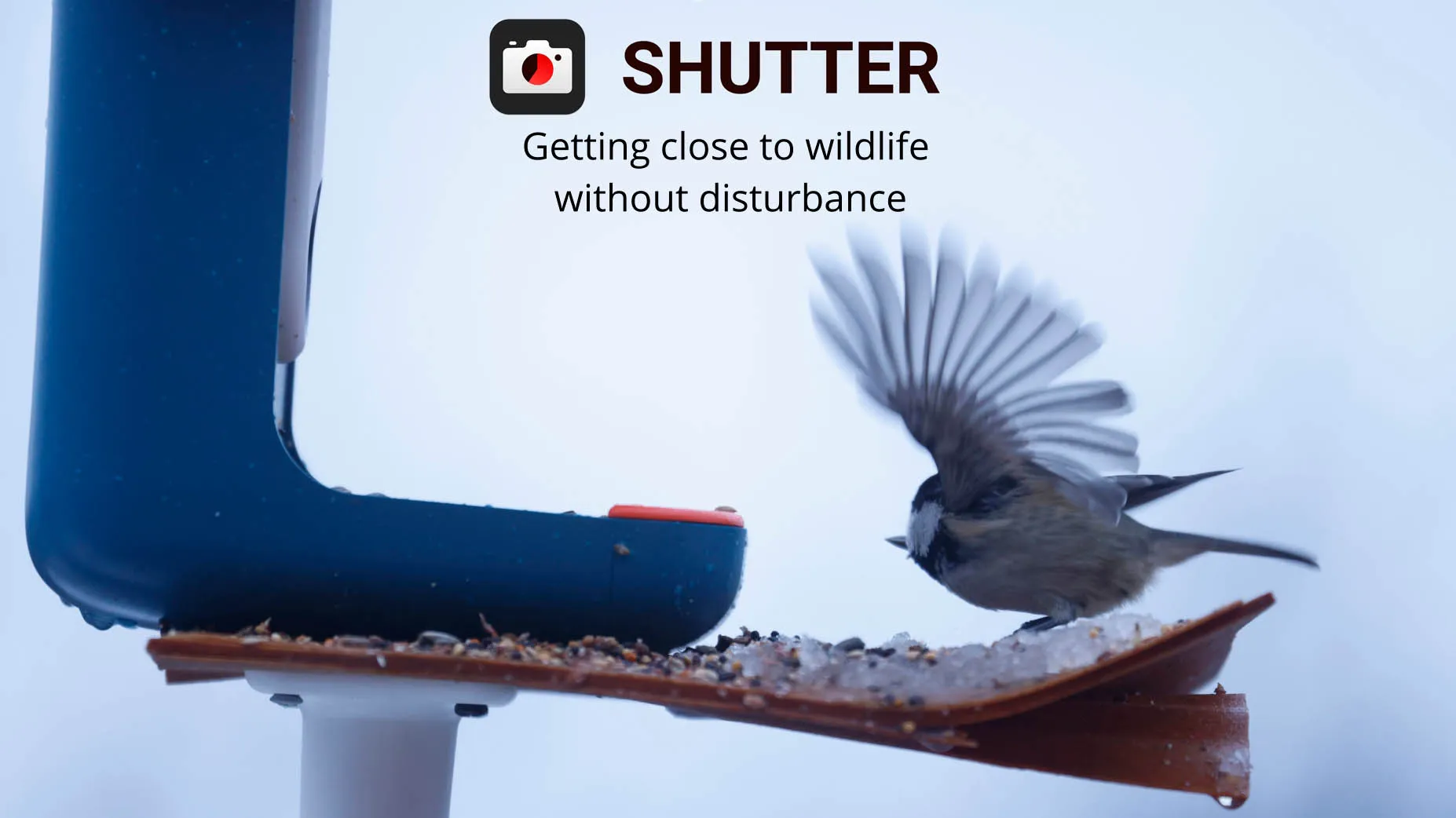
Why use a remote control app to photograph wildlife?
One of the advantages of using a wireless camera remote control app like Shutter+ is the ability to get closer when photographing wildlife without disturbing the animals you are photographing. Not only can you maintain a greater distance, but you can be well out of view and even tucked up in the warmth of your vehicle or other place.
7 useful features for photographing wildlife
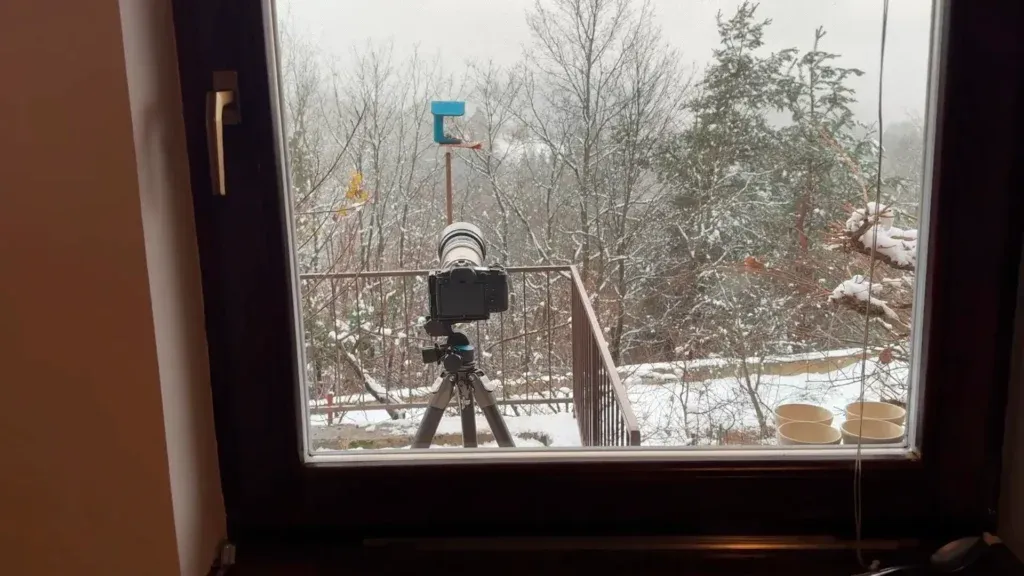
1: Set up your camera and move away
Set up your camera as close to your subject as possible, then move well away so the animals cannot see or detect you. This can be inside the warmth of a house, your car or any other sheltered place.
2: Tap to focus and focus failed warning
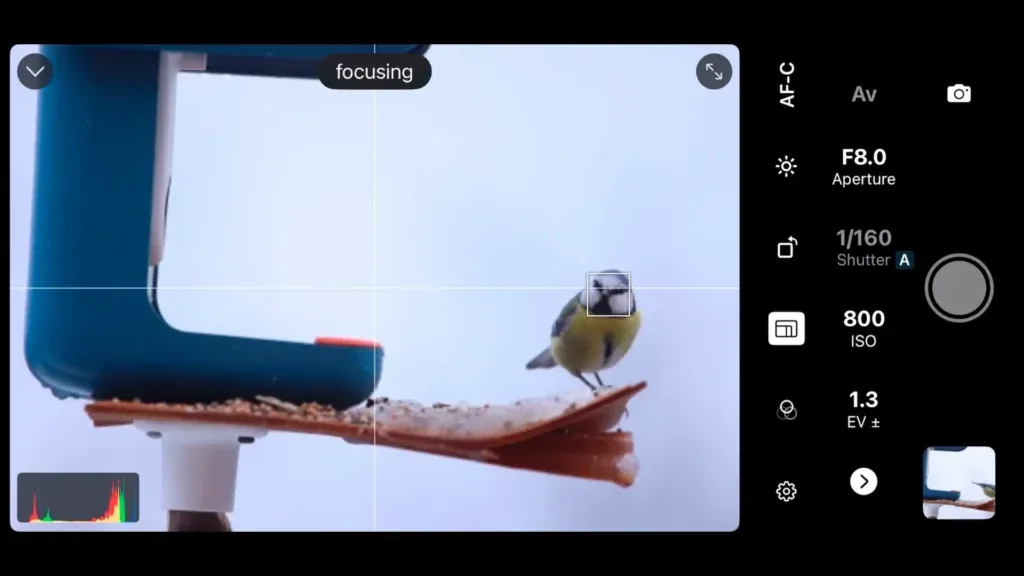
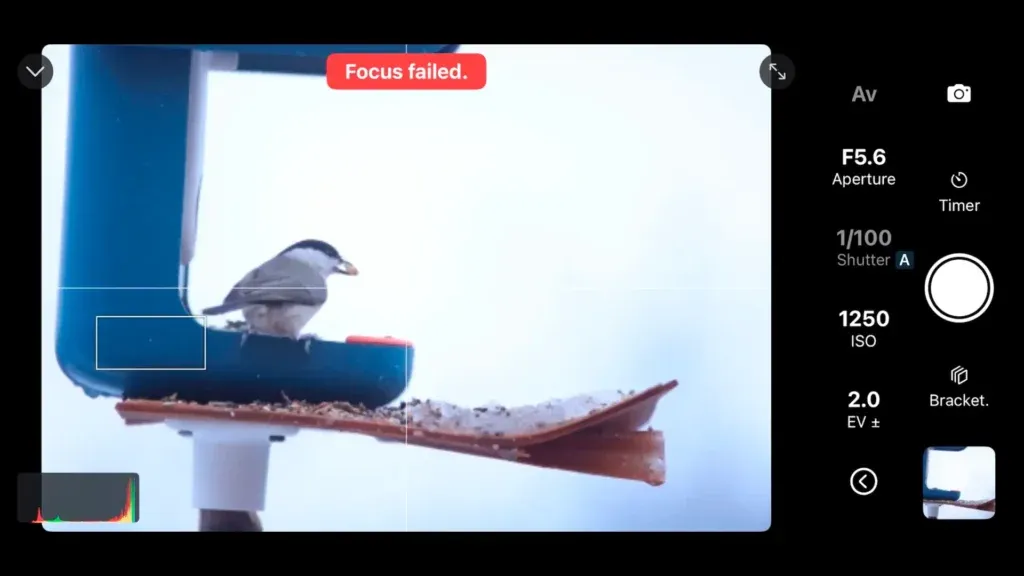
You can fully control your focusing using Shutter+. Use the tap to focus feature to manually select your focal point. One of the really useful features of this app is the focus failed warning; perfect for small, fast-moving subjects.
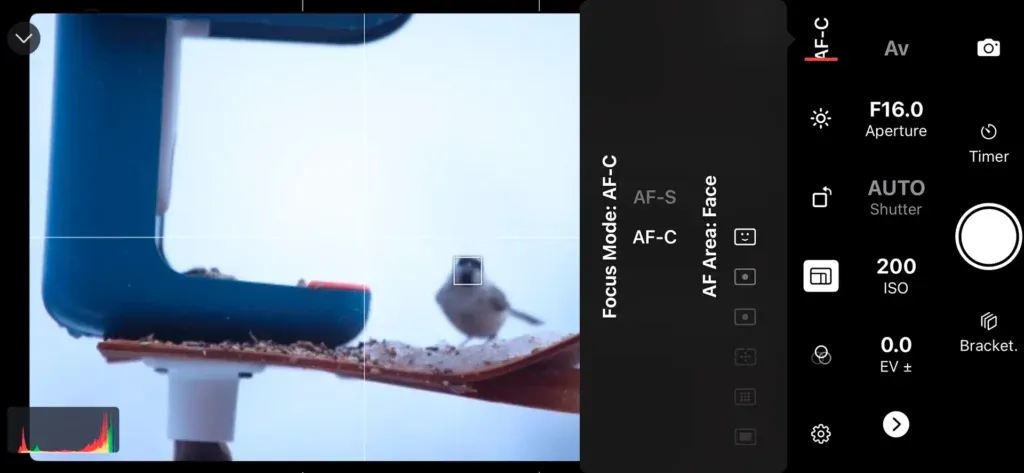
3: Adjust the focus mode on your camera
You can change the focus mode on your camera, switching between one shot or continuous and select the AF area. This allows for more precise focusing depending on the subject you are photographing.
4: Control the aperture, shutter speed, and ISO
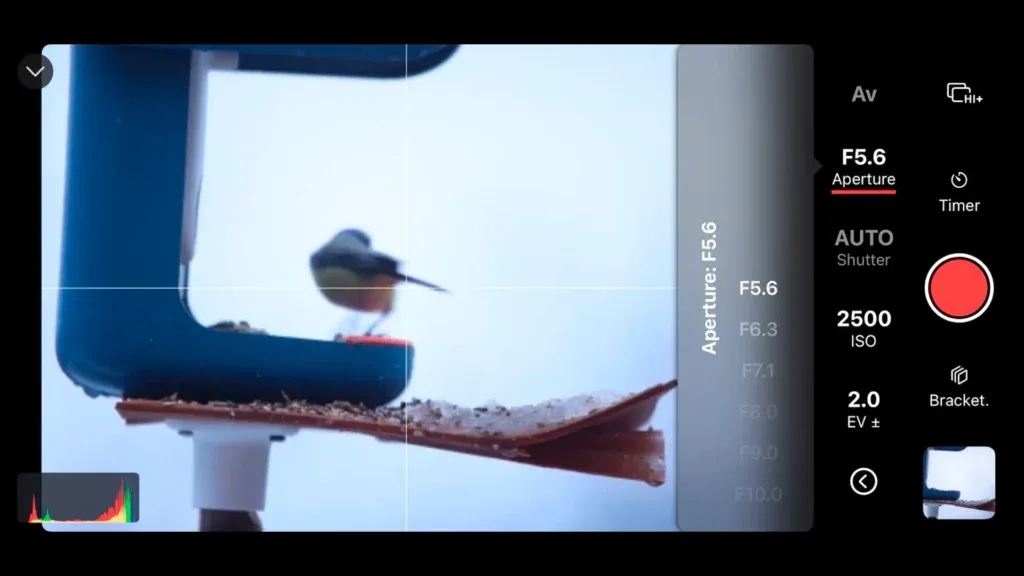
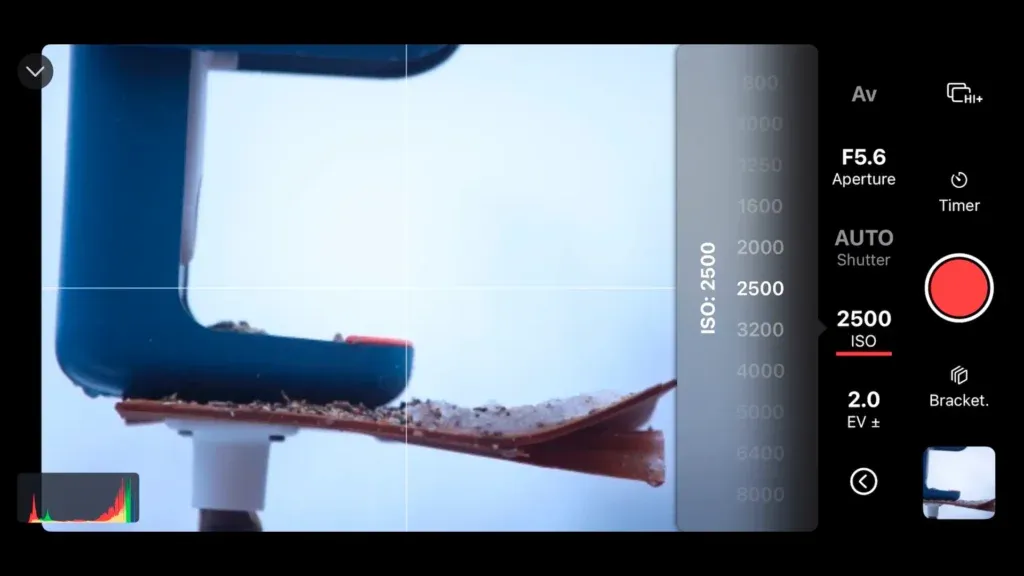
With Shutter+ you have full control over your settings, so you can adjust the aperture, shutter speed and ISO on the fly. Ideal for moving subjects and changing light.
5: Set exposure compensation
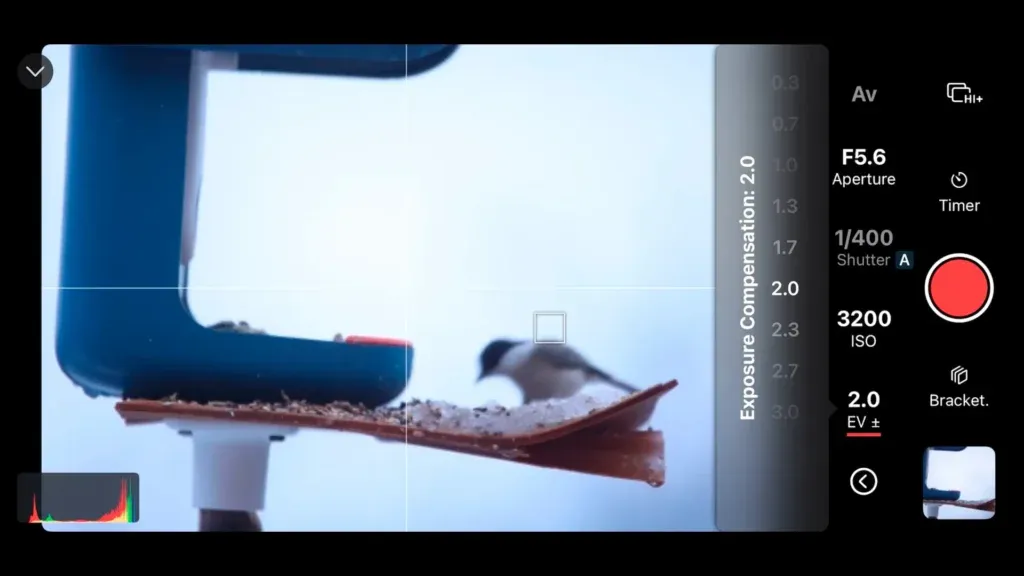
You can also control the exposure compensation to account for bright backgrounds or colors fooling the camera’s built-in light meter. Ideal especially for small subjects against a bright sky.
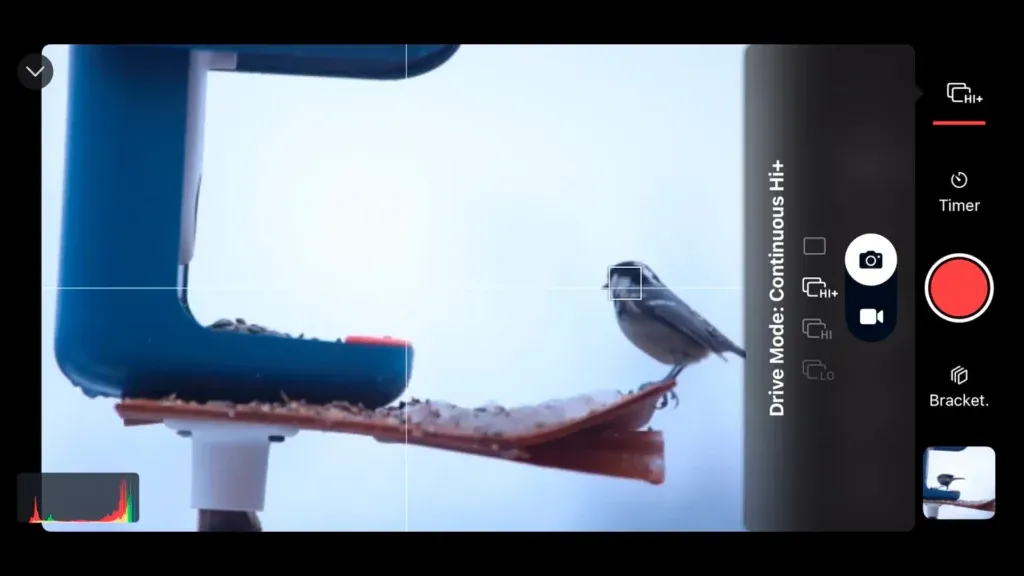
6: Change the drive mode
Shutter+ allows you to change the drive mode on your camera remotely, so you can easily switch between single shot or high speed continuous shooting for faster action. For continuous shooting, simply press the red button once to start, then again to stop.
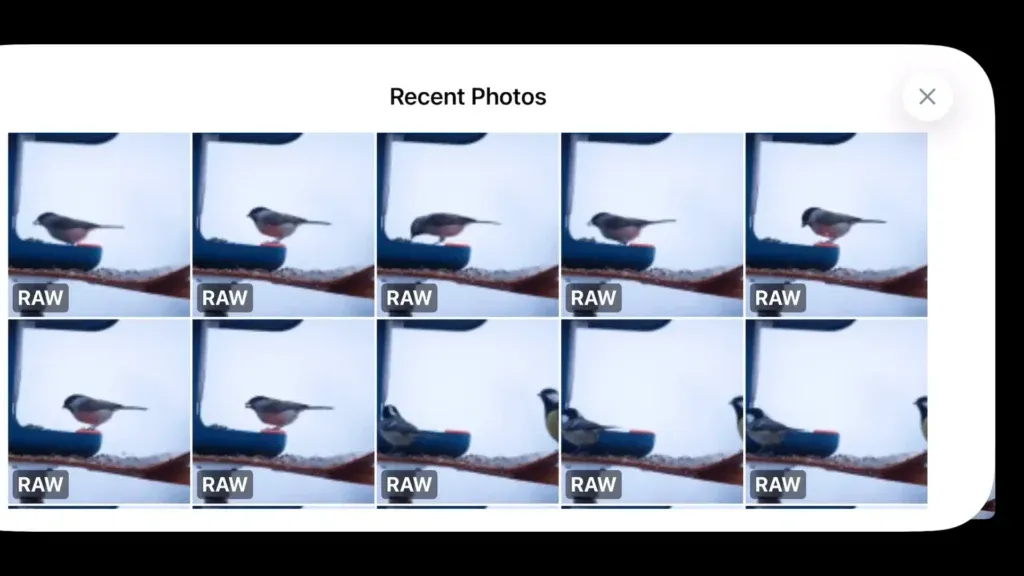
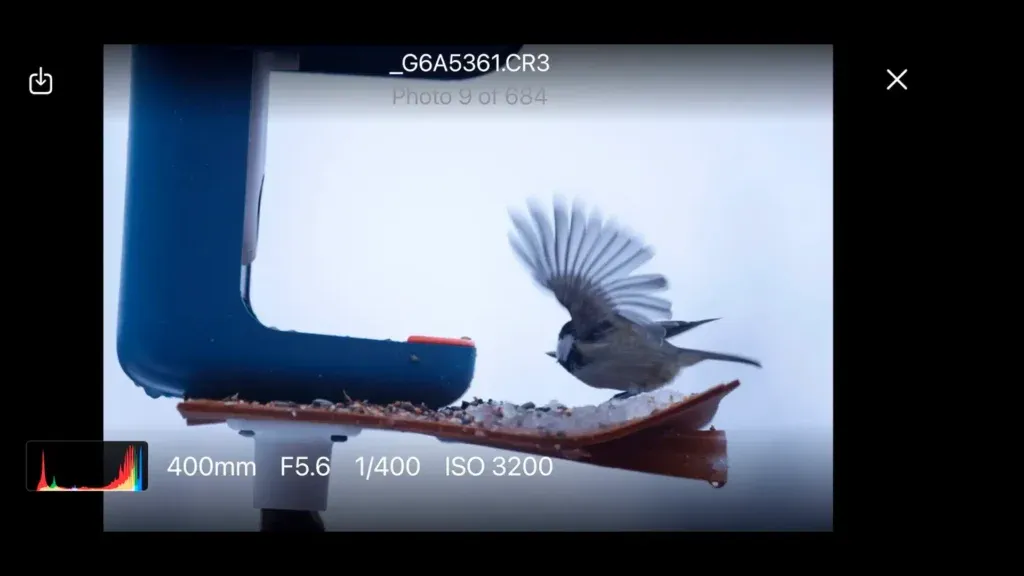
7: Preview all your photos as you shoot
You can preview all your photos as you shoot without needing to go out to your camera or retrieve your card. View thumbnails and expand to full screen. If you are using Shutter+ with an iPad, you can really get a larger view of each shot you take. Additionally, transfer all or selected photos to your device wirelessly should you wish.
See this in action on our video
Watch our video photographing birds at a feeding table to see just how easily photographing wildlife like this can be. Here, using Shutter+ with a Canon EOS R5, we show how you can pretty much control all the settings on your camera remotely, negating the need to go outside in the cold to make adjustments and risk the animals running or flying away.
Here are a few other reasons to use a remote control app
Photographing Natural Behaviour
Animals are smart when it comes to sensing their environment, and are acutely aware of potential danger. Therefore, nothing is more unnerving or distracting than a photographer with a giant lens nearby. Wildlife can sense your proximity through sight, sound, and even scent, often becoming alert, defensive, or fleeing entirely when they detect the presence of a human or predator.
There are many things you can do to reduce the chances of being detected: camouflage tents, camouflaged lenses and even clothing. However, by placing your camera close by on a tripod or secured some other way, and then controlling it remotely from a safe distance with an app like Shutter+, animals remain in their natural state, completely unaware of your presence.
This way you can capture authentic behaviours such as feeding, grooming, playing, or interacting with their young, rather than the tense, watchful poses that occur when they are uneasy. The difference in your images is immediately noticeable: ears are relaxed rather than pricked forward in alarm, body language is loose and natural rather than coiled and ready to flee, and the animals’ attention remains on their actual activities rather than fixed nervously on you. These genuine moments create photographs that truly tell the story of wildlife as it exists when humans aren’t interfering.
And who knows, you may even get some curious critters coming right up to the camera for some quirky, full face shots.
Get Close to Sensitive Locations
Some of the best most interesting moments happen in areas where human presence is particularly disruptive: nesting sites, dens, watering holes, or feeding grounds. For wildfowl, getting close to these areas can involve wading into waist-deep water, shooting from a floating hide or boat. While all effective methods, nothing compares to setting up your camera nearby, moving well away and remaining warm and dry.
This is particularly valuable during breeding seasons or when photographing species that are easily stressed by human activity. Birds, for instance, may abandon nests if they feel threatened during incubation. Many mammals will relocate their young if they sense danger near their dens. By using a remote control app, you can control the majority of your camera settings and photograph precious moments such as a mother otter teaching her pups to swim, eagles feeding their chicks, or fox kits playing outside their den.
Stay Longer and Cosier
Photographing wildlife can more often than not involve spending hours, sometimes entire days, waiting for the perfect moment. Animals don’t perform for us, and appear when they are good and ready. Many mothers will often wait out on the sidelines watching even a regular feeding area to be sure it’s safe before bringing their young out in the open. Therefore, patience is essential.
By using a remote control app, you can remain comfortable in a wildlife blind, vehicle, sheltered building or simply tucked away in a warm camouflaged tent out of sight, while your camera stays positioned in the perfect spot. The advantage to using Shutter+ on your iPhone or even your iPad, is the ability to not only maintain full control of all your settings, but also preview each and every photo you take right there on your screen.
This can also help reduce physical fatigue and allow you to maintain focus for longer periods, increasing your chances of capturing that decisive moment. Rather than standing motionless in an uncomfortable position for hours, cramping and losing circulation, you can sit comfortably, ready to trigger the shutter the instant something remarkable happens. You can monitor the scene without having to move slowly and quietly.
Stay Safe
Shooting from a distance isn’t just better for the animals; it’s safer for the photographer too. When photographing potentially dangerous wildlife like bears, big cats, crocodiles, or territorial birds during nesting season, maintaining your distance while still getting close-up shots provides an important safety buffer.
With a remote control app, you can get these close-up shots without putting yourself at risk of a defensive charge, attack, or injury. This is particularly crucial when working with unpredictable species or during times when animals are more aggressive. A mother bear with cubs, for example, may perceive any nearby presence as a threat and respond with alarming speed and force.
By controlling your camera from a safe distance, you won’t inadvertently corner an animal or block an escape route, situations that can turn dangerous quickly when wild animals feel trapped. OK, you might be putting your camera at risk but the camera can be replaced, you cannot! Just make sure you have good camera insurance.
Protect the Environment
By keeping out of wildlife habitats as much as possible, you reduce trampling over vegetation, soil disturbance, and the creation of new trails that other animals or humans might follow. This is particularly important in fragile ecosystems or protected areas where conservation is a priority.
Every footstep in a wilderness area has an impact. When you can place a camera in one spot and then control it remotely from a safe and clear vantage point, you eliminate the need for repeated trips into sensitive zones. This is especially significant in alpine environments, wetlands, or areas with cryptobiotic soil crusts that can take decades to recover from even a single footprint.
Additionally, by not creating new paths through habitually visiting the same hidden spots, you’re not inadvertently leading other photographers, hikers, or predators to vulnerable wildlife locations. Your practice of remote photography becomes not just a technique for better images, but an active contribution to conservation and responsible environmental protection.
Learn more about Shutter+ for your camera
Visit the supported cameras list to confirm compatibility for Sony, Canon, and Fujifilm models.