Remote Control
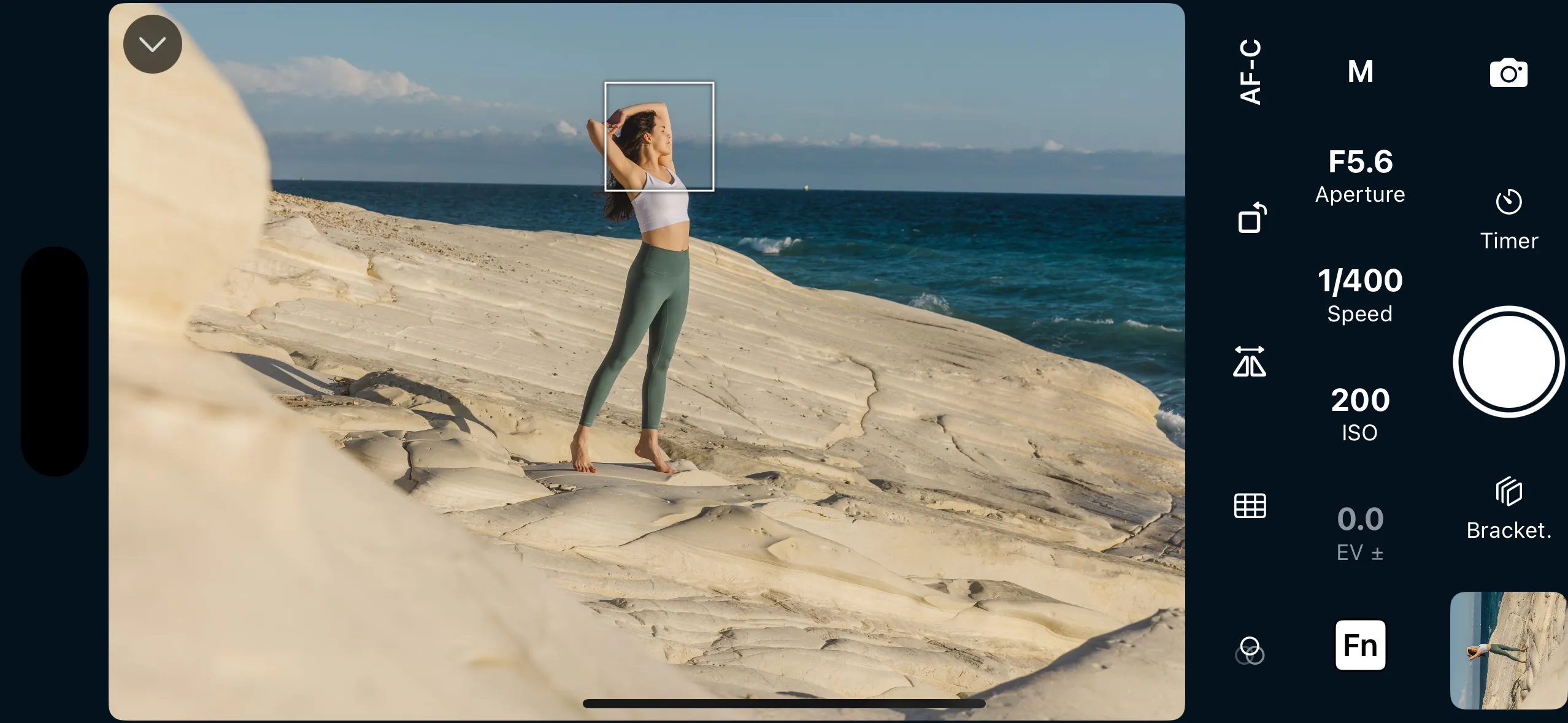
All camera settings are at your fingertips: exposure and focus settings, white balance, drive mode, and more. Connect wirelessly or use a USB cable. Works on iPhone, iPad and Apple Watch.
Test before you buy
7-day free trial
Shutter offers significant advantages over Canon Camera Connect for Canon users:
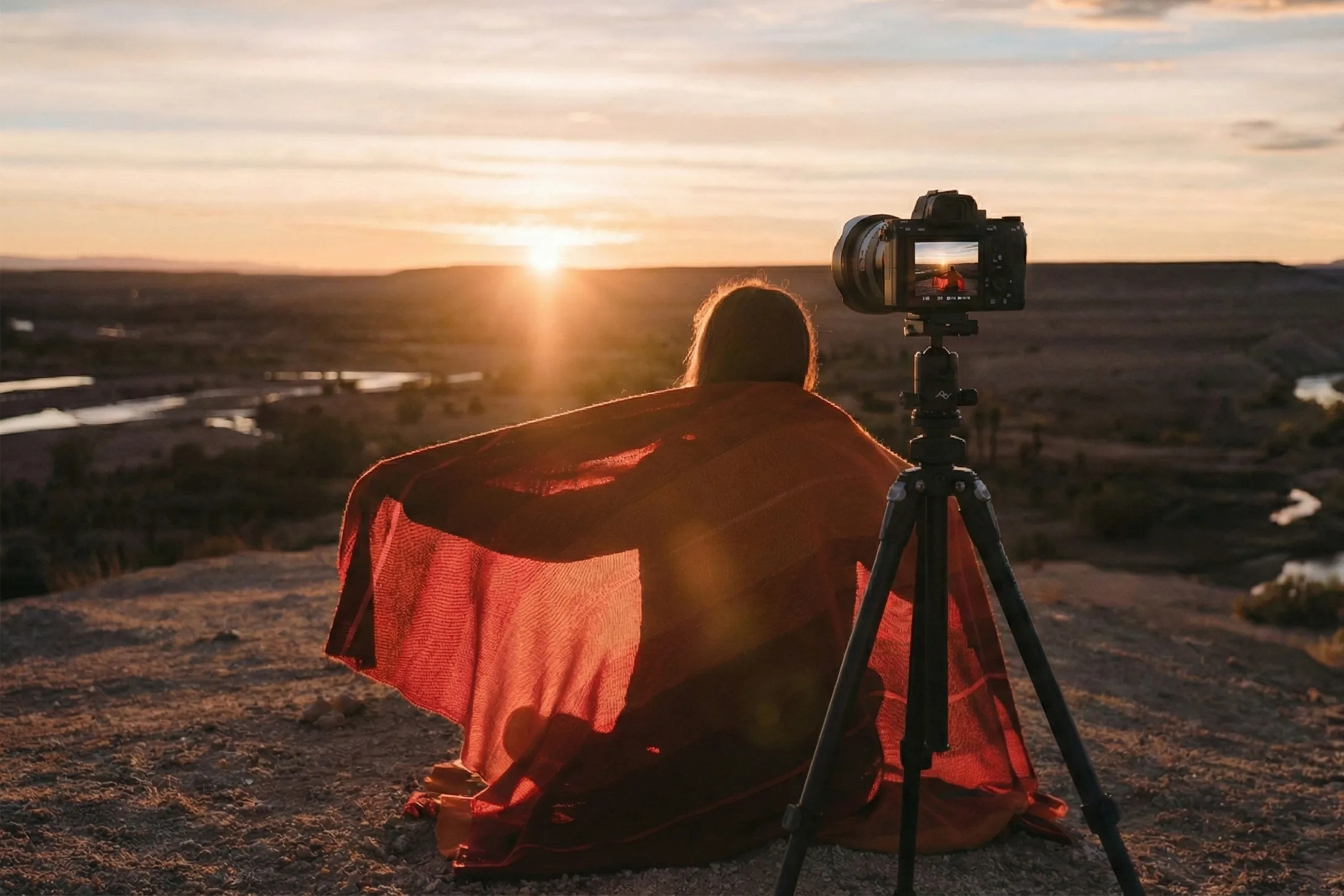
See how Shutter can help with your photography — remote shooting, live view monitoring, photo downloads and sharing, and automations that open up new creative possibilities.
All camera settings are at your fingertips: exposure and focus settings, white balance, drive mode, and more. Connect wirelessly or use a USB cable. Works on iPhone, iPad and Apple Watch.
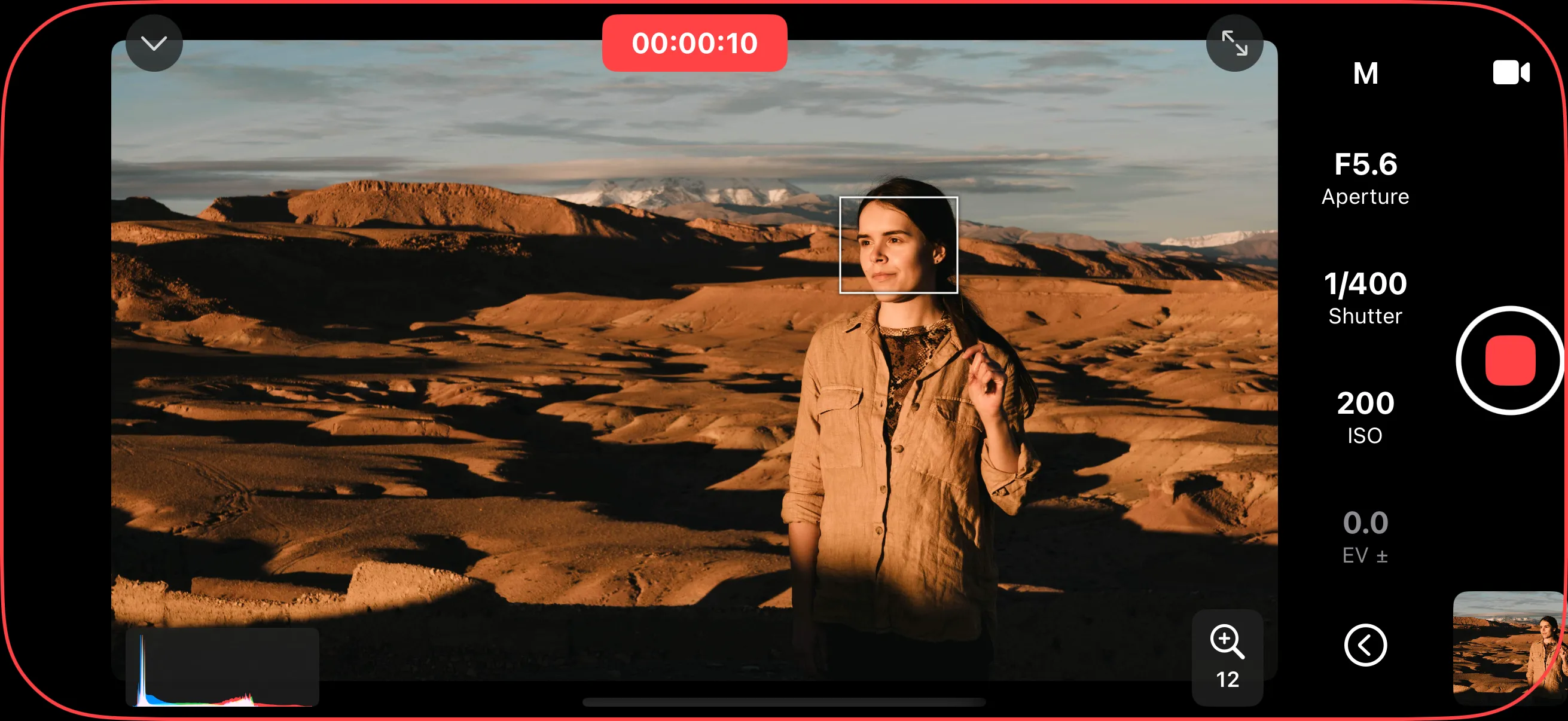
Start and stop video recording remotely. A telltale ring and elapsed time let you know exactly when the camera is rolling. Pair with live view overlays like histogram and false color to nail your exposure while recording.
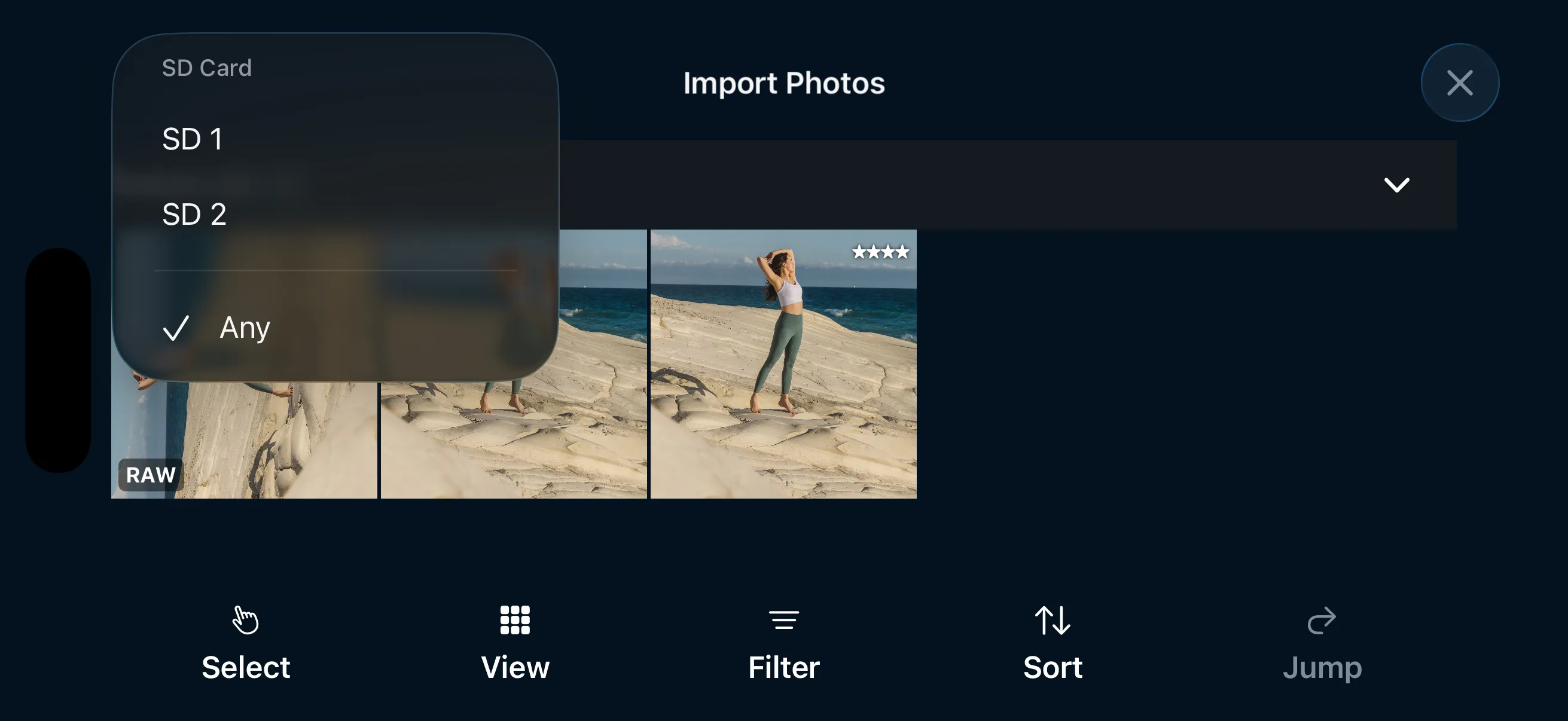
Browse and download photos from your camera directly to your iPhone. Use filters like date, rating or file format to quickly find photos on your camera's memory card. Download RAW or JPEG files.
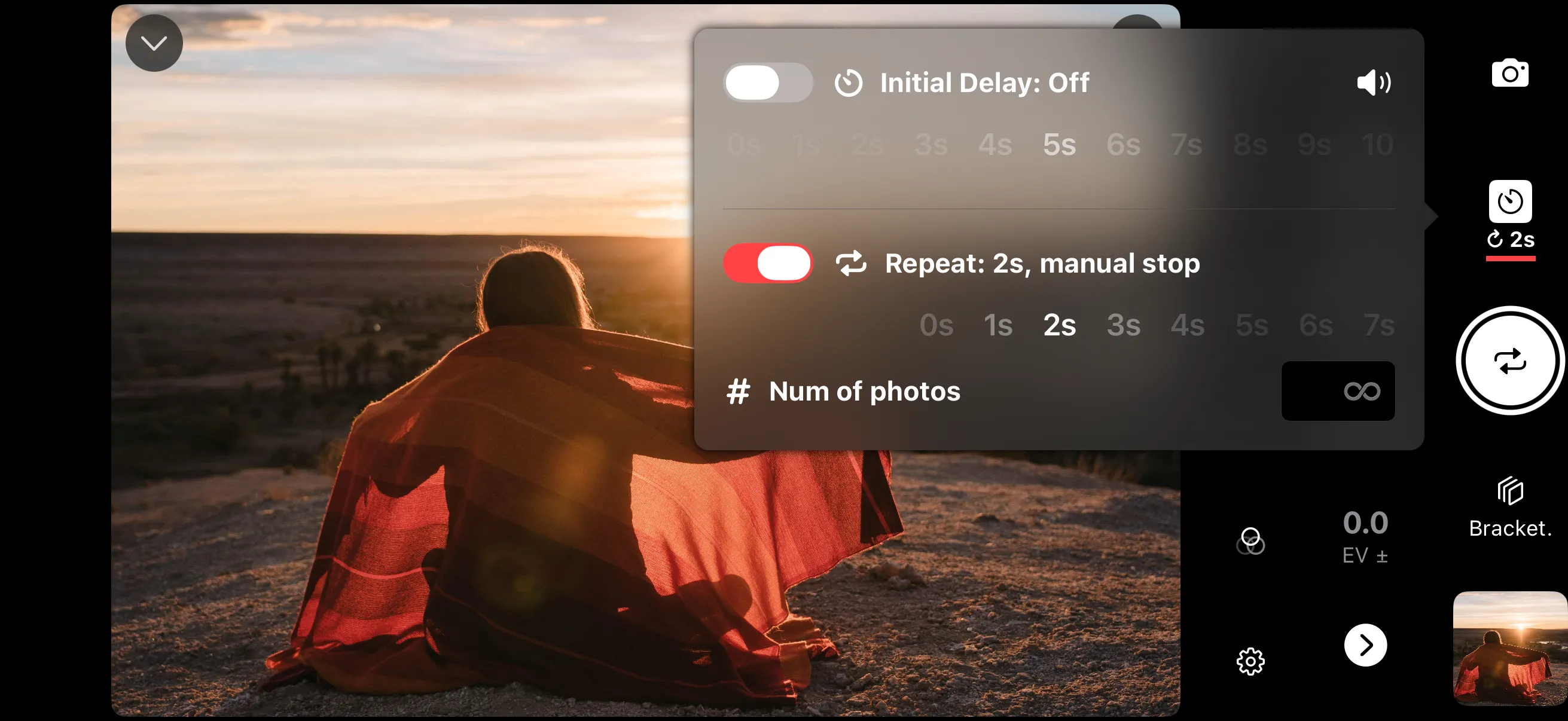
Set a (repeating) timer and let Shutter take photos for you. Take a series of shots while you change poses, or leave the camera running for a time-lapse. Configure the number of shots, or let it run until you stop it.
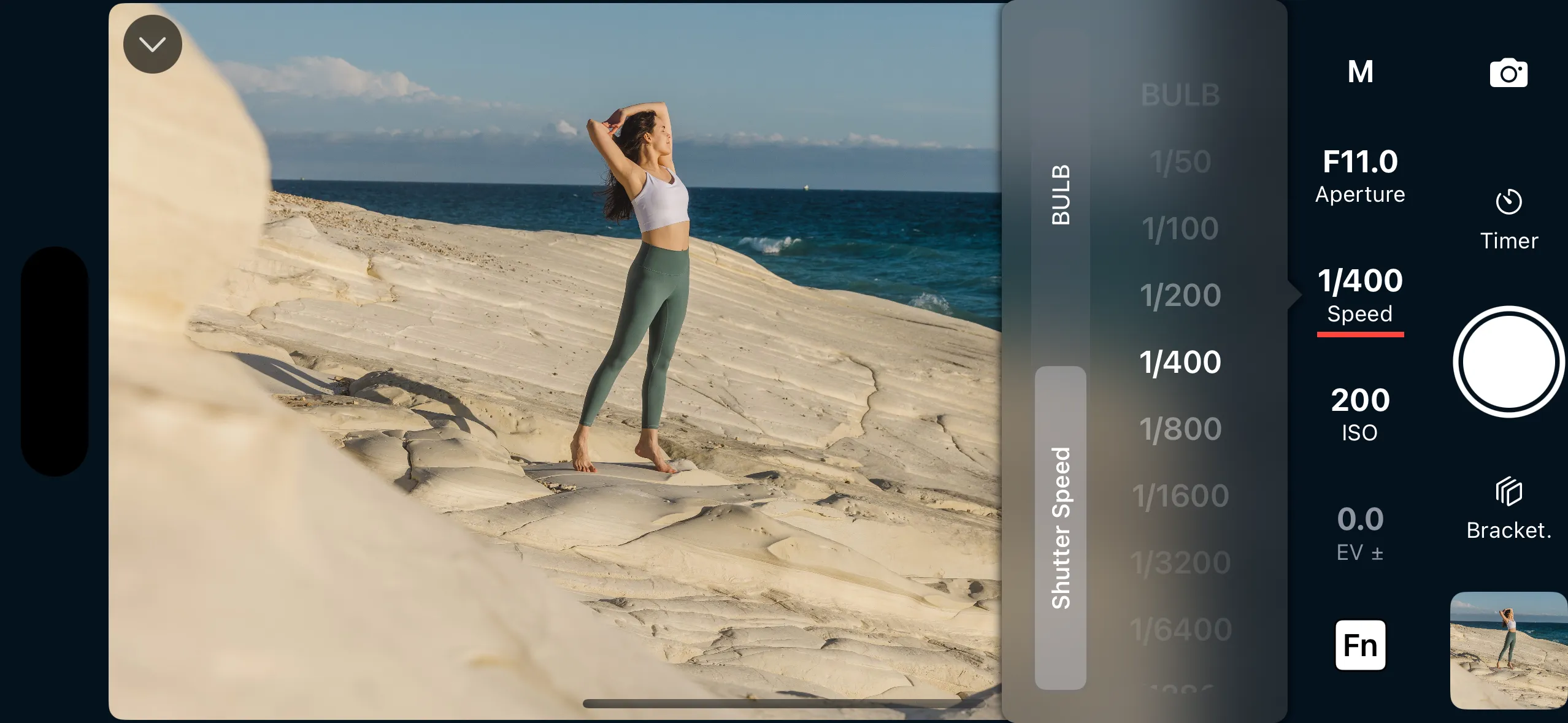
Adjust shutter speed, aperture, ISO, and exposure compensation directly from the remote control screen. Preview exactly how the photo will look on your iPhone's larger display, and use exposure assist tools like histogram, zebra stripes, and false color to get the exposure right before you shoot.
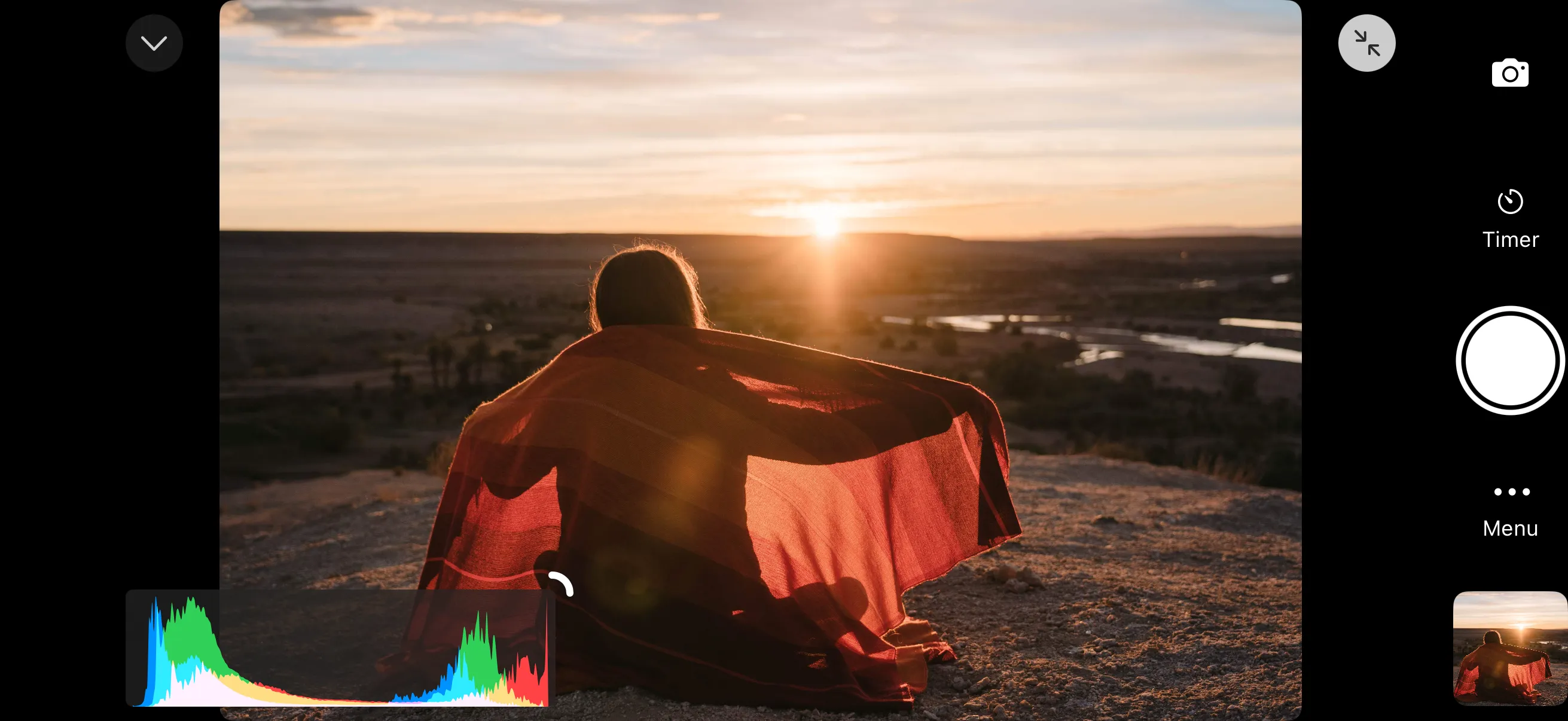
A real-time histogram displays the brightness distribution of your live view. Read the exposure at a glance — peaks on the left mean underexposure, peaks on the right mean overexposure. The histogram stays visible alongside any other overlay and can be resized and turned on and off.
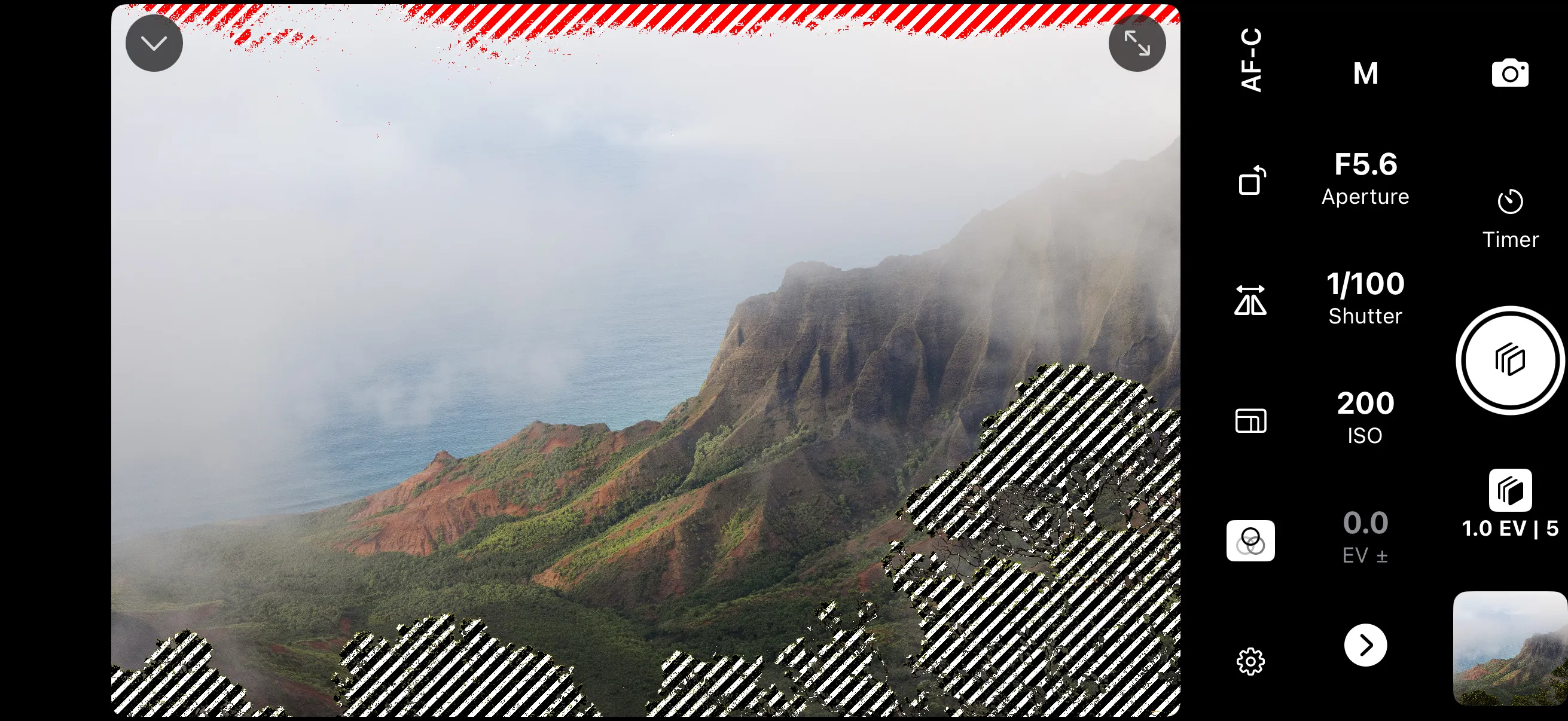
Under- and over-exposed areas are highlighted with a striped pattern directly on the live view. Adjust the min and max brightness thresholds to control exactly what gets flagged. Processed in real time on the GPU for the best performance and low battery usage.
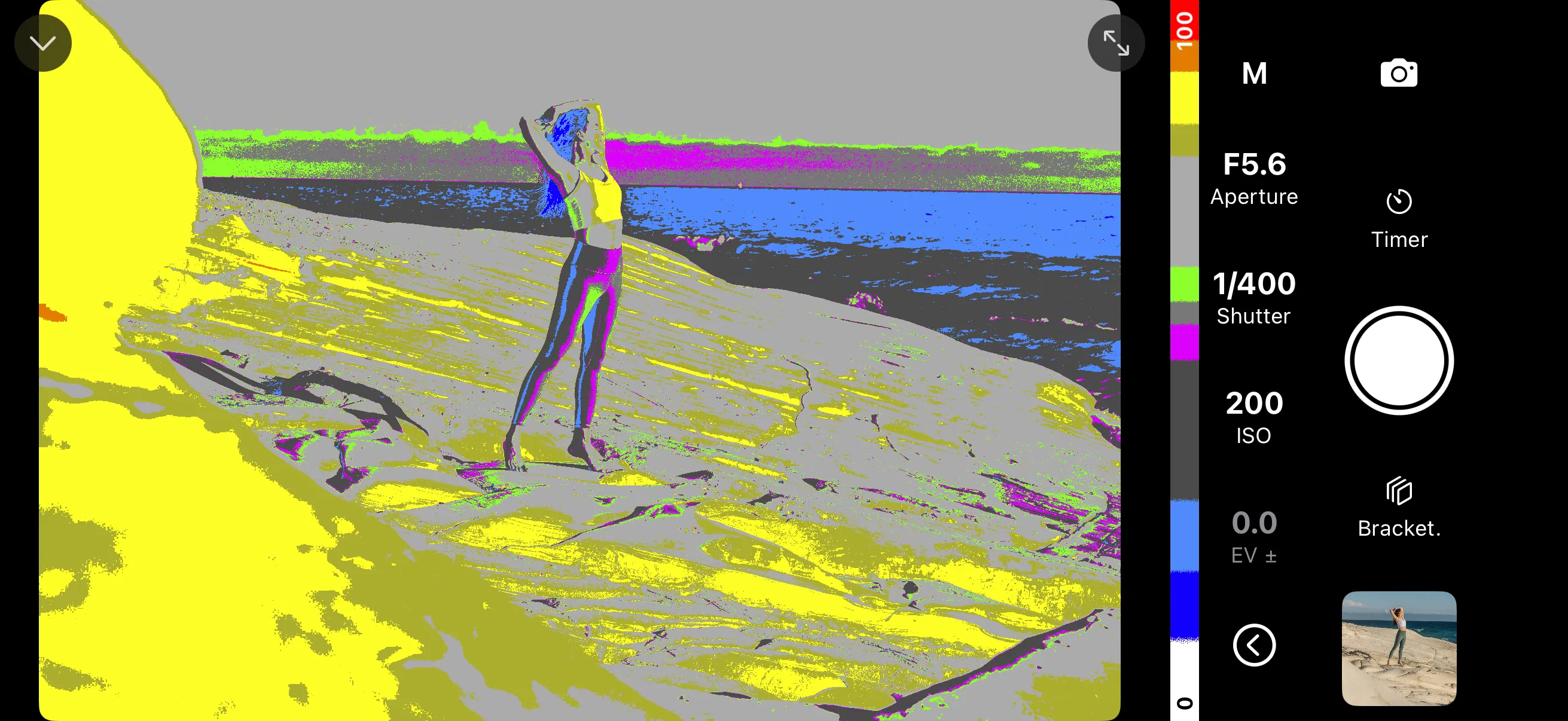
Maps exposure levels to distinct colors so you can evaluate brightness across the entire frame. Different colors represent underexposed, midtone, and overexposed regions. Especially useful for video work where precise, repeatable exposure matters.
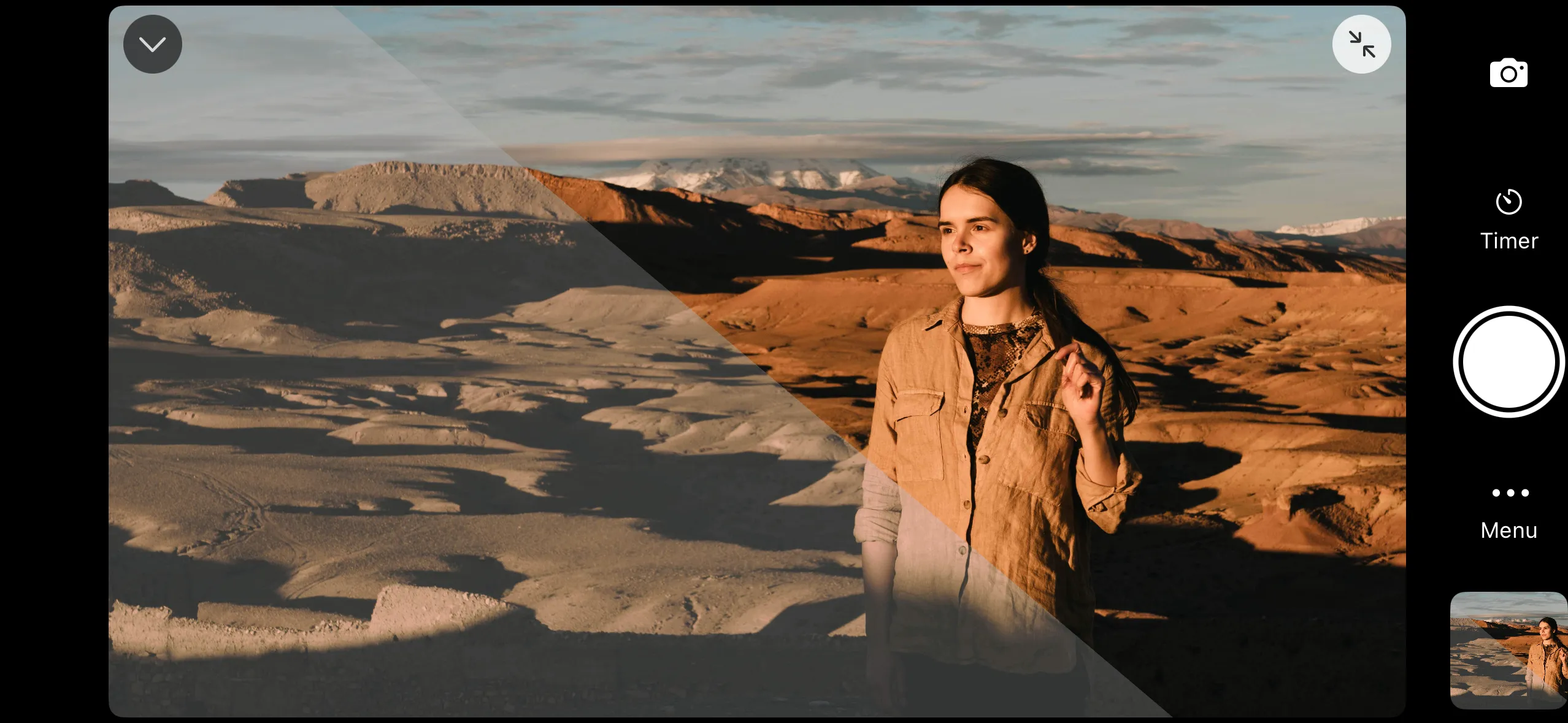
Load a .cube LUT file to preview color grading on the live view in real time. Useful when shooting in flat or log profiles — see how the graded footage will look before you record. The most recently loaded LUT is remembered between sessions.
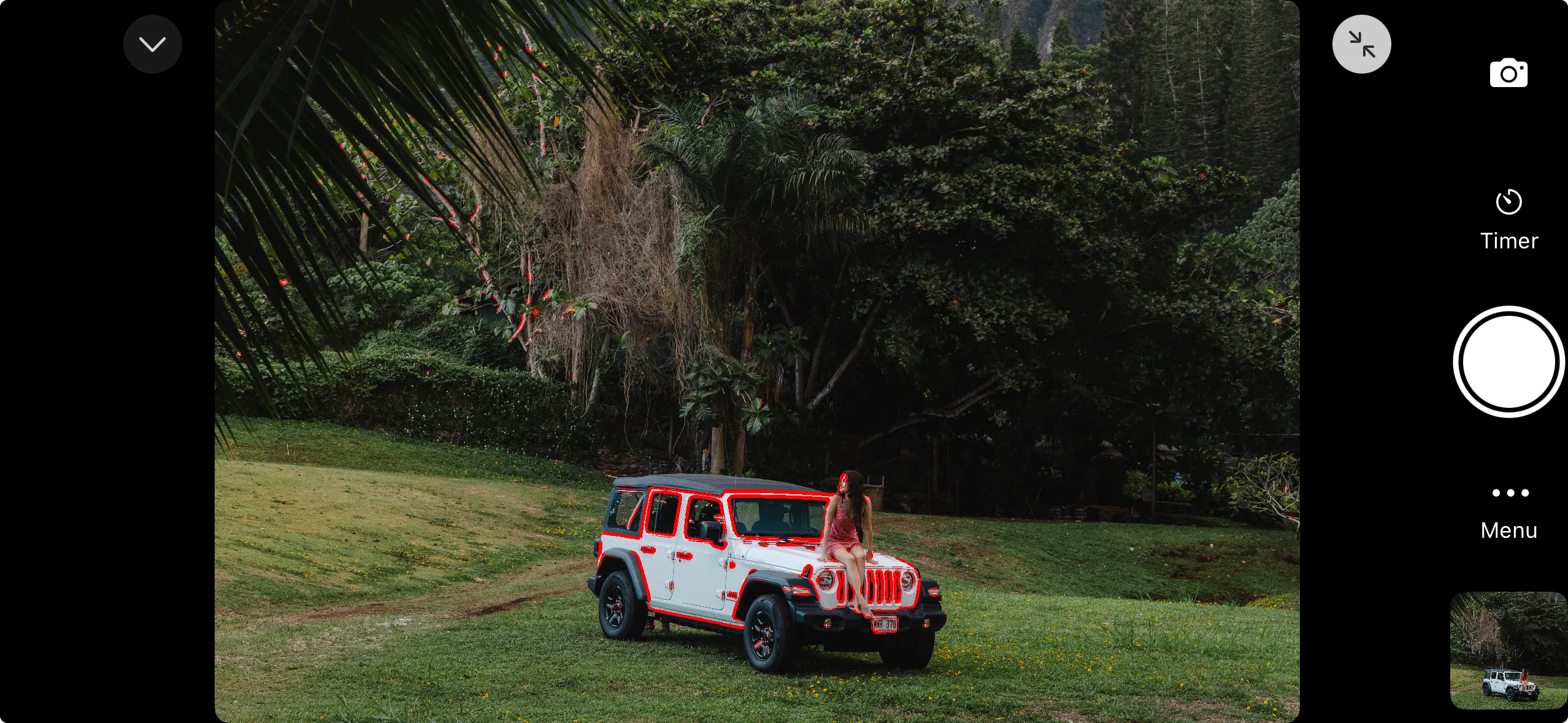
Highlights in-focus areas with a colored overlay on the live view. Useful for precise focusing in video, macro, and portrait work. See exactly what's sharp with configurable white, red or green edges.
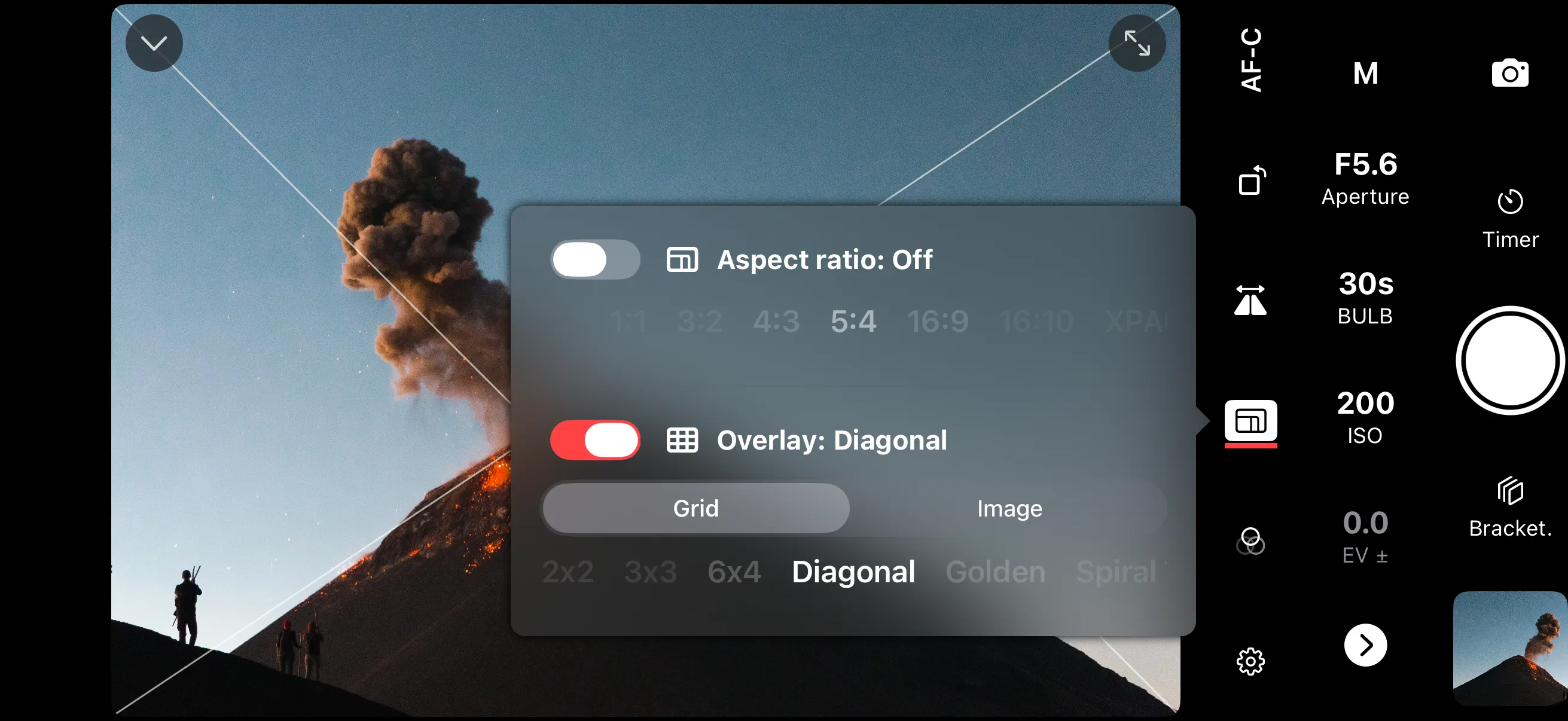
Overlay composition guides on the live view to help frame your shots. Choose from rule of thirds, golden ratio, diagonal, and Fibonacci spiral grids. Preview aspect ratio crops — from 1:1 to XPAN 65:24 — with areas outside the frame darkened. Load a custom image overlay for cover photo alignment or your own grid layout.
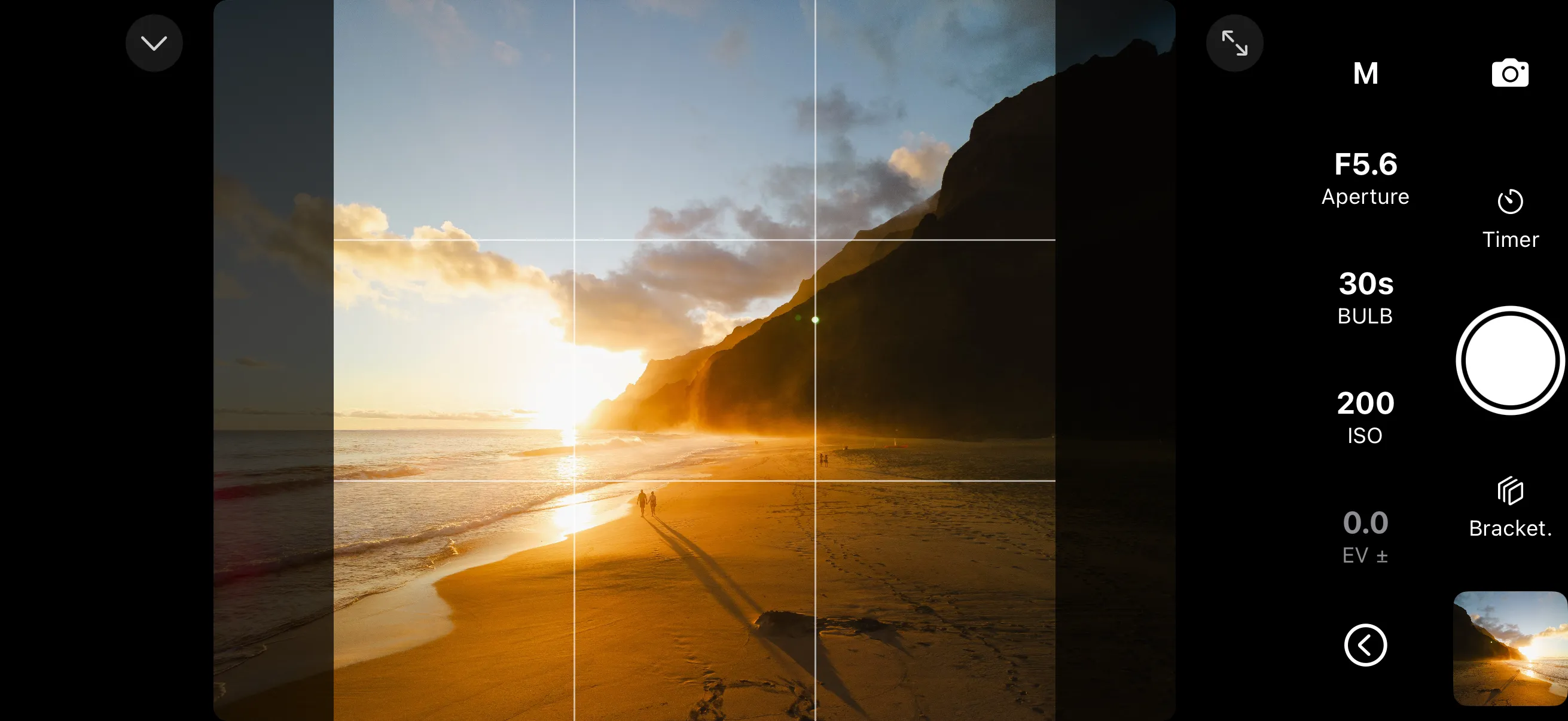
Preview how your image will look in a specific aspect ratio: 1:1, 3:2, 4:3, 5:4, 16:9, 16:10, or XPAN 65:24. Areas outside the selected ratio are darkened so you can compose for the final crop. The full frame is always captured — aspect ratio guides are purely visual.
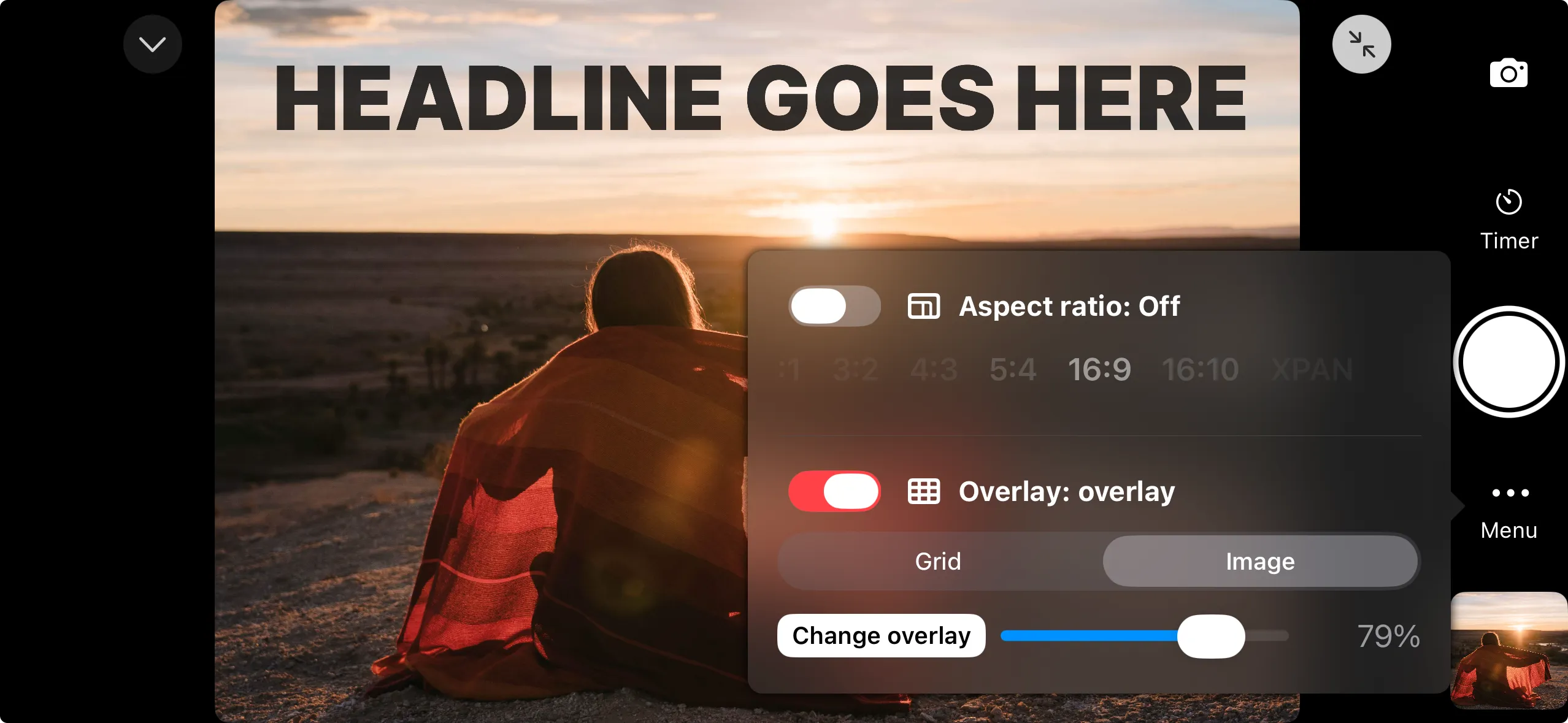
Load a custom image on top of the live view with adjustable opacity. Overlay a previous shot to match framing exactly, or use a design mockup to align your composition with a specific layout. You can also use it as a custom grid. The overlay is stored locally and persists between sessions.
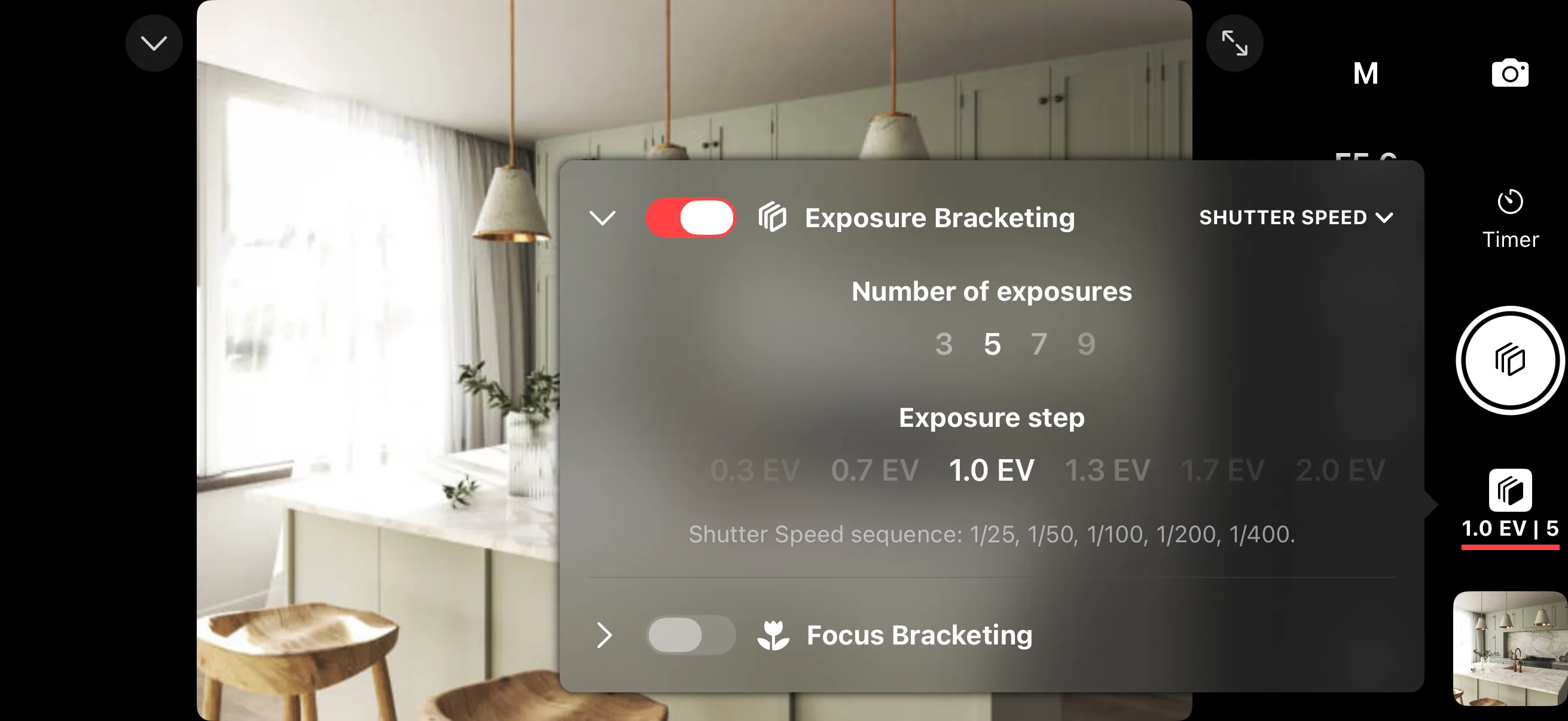
Retain highlight and shadow detail in scenes like landscapes or real estate interiors. Shutter automatically captures a series of shots at different exposure levels, keeping your post-processing options open. Set the number of brackets, EV step size, and which parameter to vary — shutter speed, ISO, or exposure compensation.
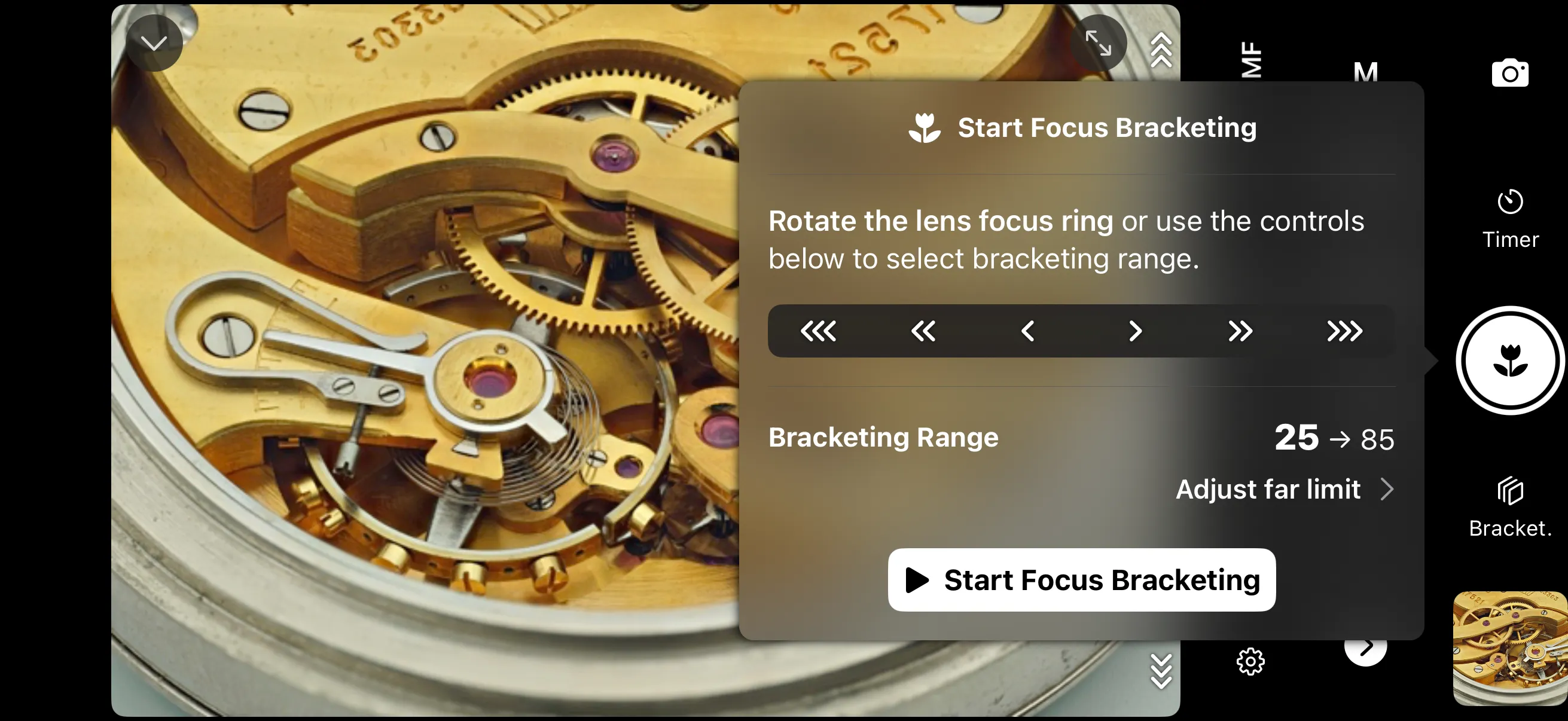
Get everything sharp from foreground to background, and capture fine detail in macro photography. Shutter takes a series of photos at different focus distances, shifting the focus point between each shot. Combine the results in stacking software to expand the depth of field beyond what a single exposure can achieve.
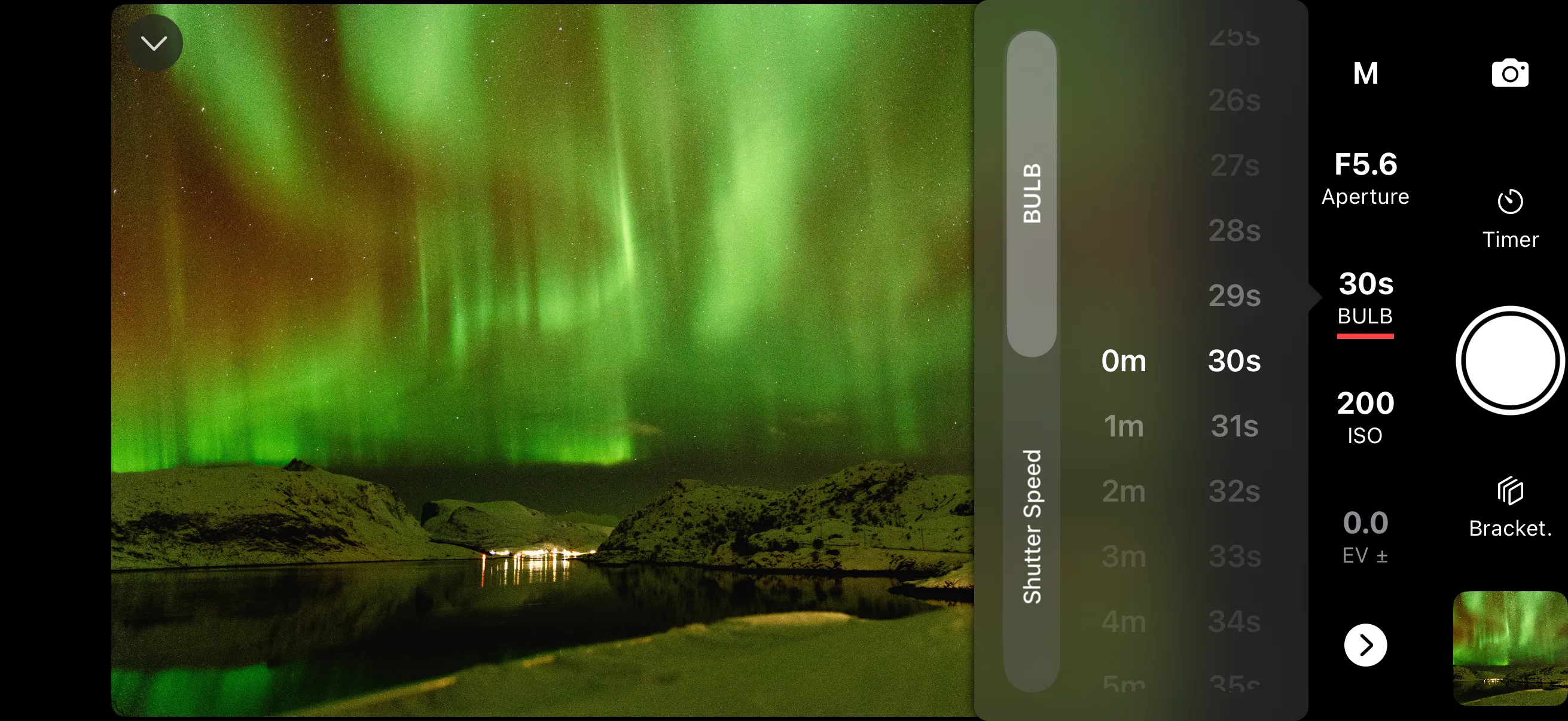
Set a duration for long exposures in BULB mode. The app holds the shutter open for exactly the time you specify. Combine with the intervalometer to shoot a sequence of long exposures for noise reduction stacking or night sky time-lapses. Ideal for astrophotography, light trails, and long exposure landscapes.
Tap anywhere on the live view to direct the camera's autofocus to that point. Switch between focus modes: single focus, tracking, or disable touch focus entirely. A focus indicator shows whether the camera is focusing, locked, or missed.
Capture the full dynamic range of a scene with exposure bracketing. For maximum depth of field, use focus bracketing to automatically shift focus. Perfect for landscapes, real estate interiors, and macro photography.
Overlay composition guides on the live view. Preview aspect‑ratio crops, or load a custom image overlay. Dial in exposure before you shoot with histogram, zebra stripes, false color, and LUT preview.
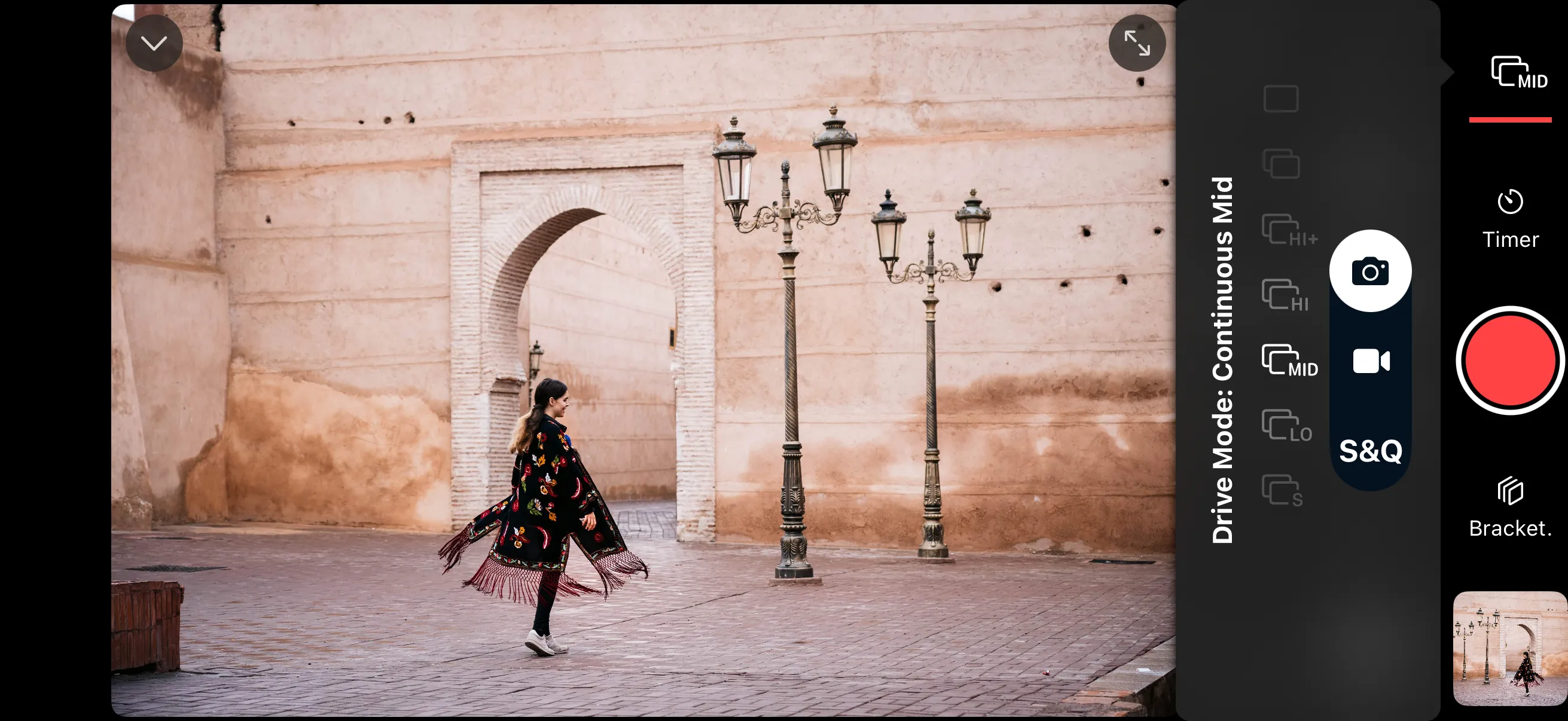
Tap to start a burst and tap again to stop, or set a specific number of frames ahead of time. Use a slower burst speed for group photos — capture the moment when everyone is smiling with their eyes open. Switch to higher speeds for wildlife and birds in flight.
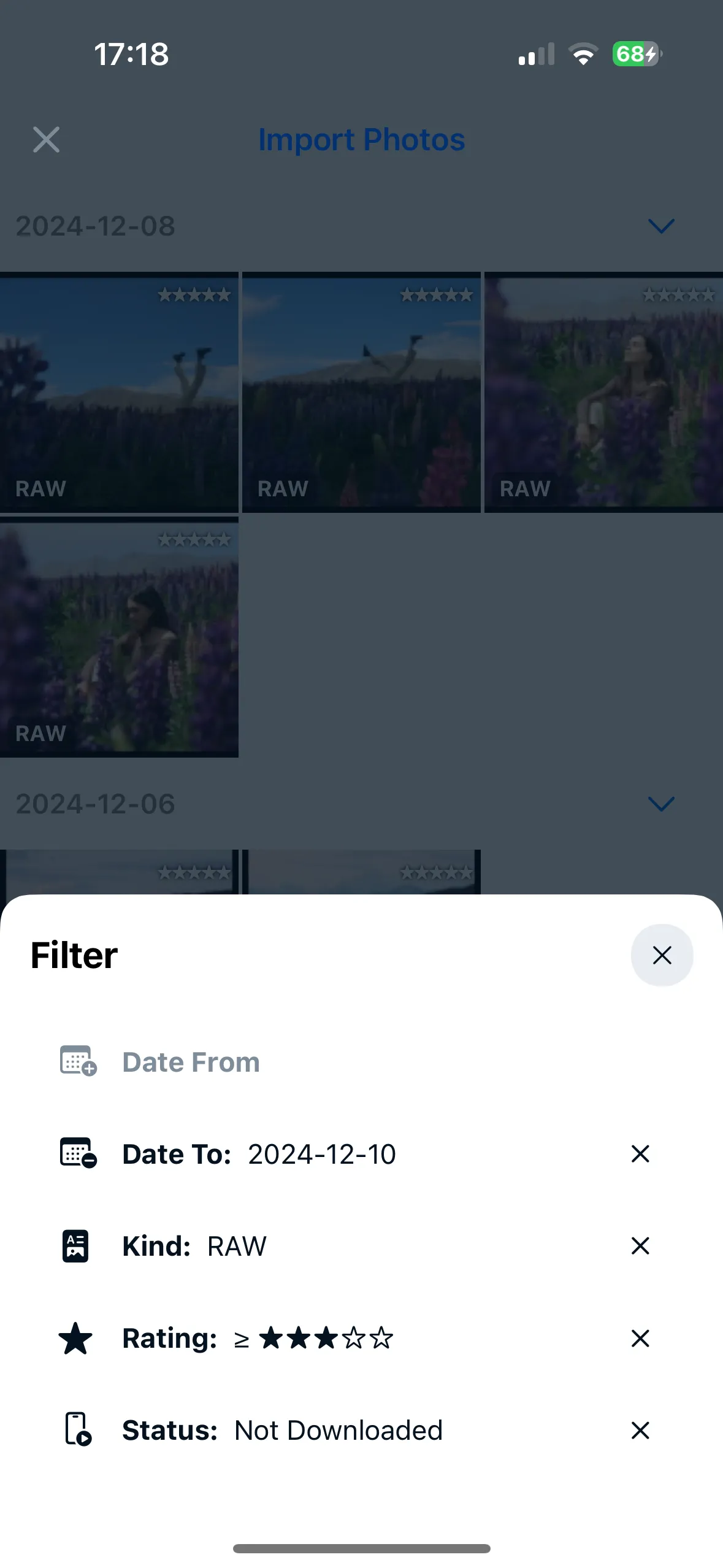
Find photos on your camera's memory card without scrolling through hundreds of thumbnails. Filter by date, star rating, or file format. Jump to a specific point in the timeline. On cameras with dual card slots, switch between cards instantly.
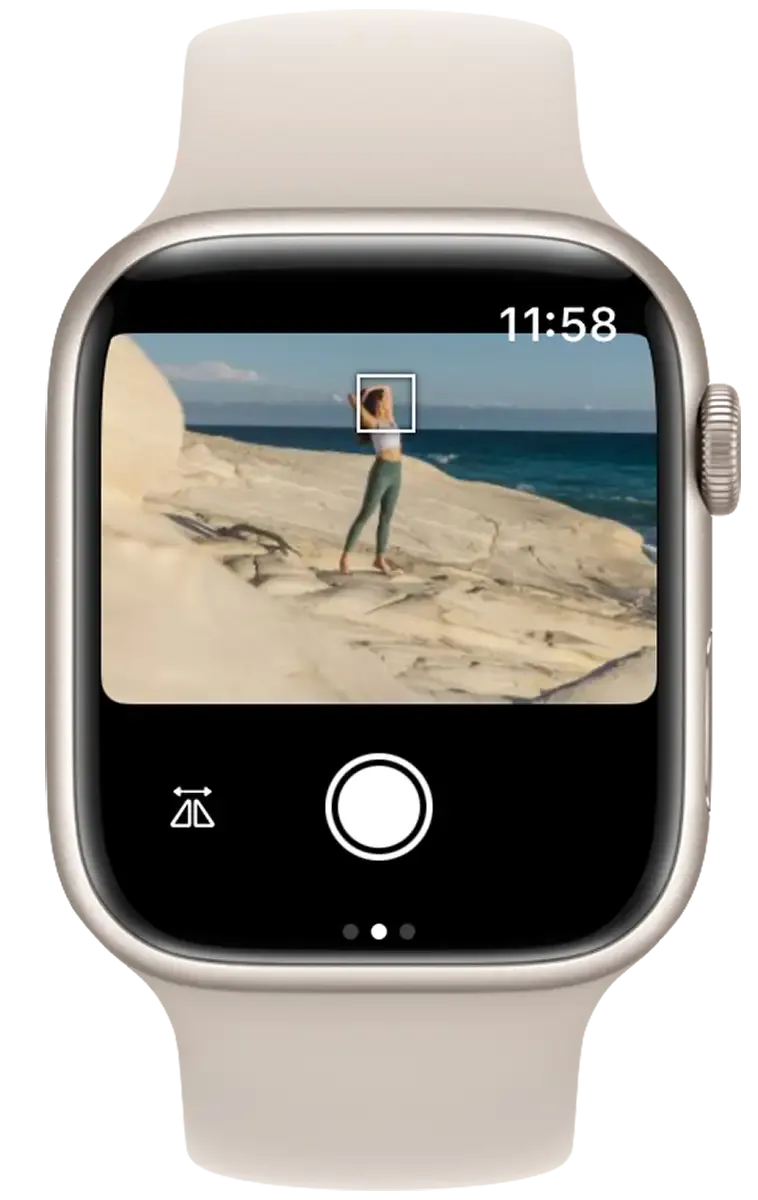
Trigger the shutter, start and stop video recording, and adjust exposure settings from your wrist. The Watch app shows a live viewfinder and lets you control intervalometers and other automations in progress. Add a complication to your watch face for quick access.
Select your camera to see what features are supported. If your camera is not on the list below, it will not work with Shutter.

Remote shooting has never been so easy. The Shutter app worked smoothly almost every time I used it. It responds quickly with no time lag, which is something that I have found to be an issue with other wifi or Bluetooth remote apps. For me, this functions much better than the Canon Connect app and doesn't drop out when you least expect it to. A big positive is that it's super easy to use, intuitive, and very easy to set up. There is simply no learning curve, if you already know how to use your camera it's pretty much plug in and play. Read full review »

Alex Baker
DIY Photography, February 2025

Shutter's intervalometer made self-portraits far less painful. I very quickly fell in love with a feature that my usual remote camera app didn’t have: an intervalometer. Using the Shutter app, I could take several shots in a row with one press of the button on the remote. This felt much more efficient than pulling out the app, triggering a shot with a two-second delay, hiding the phone out of the shot, smiling, then pulling the app out to do it all over again. To help conserve smartphone battery, it continued to work in the background while my iPhone was sleeping. Read full review »

Hillary K. Grigonis
Digital Camera World, May 2025

A whole lot of features no wired or wireless remote offers. Shutter is easy to understand and gives me a whole lot of features no wired or wireless remote I've seen offers. [...] The Shutter app does a lot more, doesn't tie me physically to the camera, shows me what the camera sees, and provides a host of bracket options and interval timers for astrophotography or time-lapse imaging. Read full review »

Mel Martin
Fstoppers, September 2022
Beats the Canon connect app by a mile! This app is leagues ahead of Canon's own Camera Connect. The interface is intuitive, connection is reliable, and it actually works when you need it. I've been using it for my Canon R6 and it's been a game-changer for my wildlife photography.

RH_chasinglight
App Store, September 2025
What Canon Connect should have been. Finally, an app that does what Canon's official app promised but never delivered. Fast connection, reliable controls, and the intervalometer works flawlessly. Worth every penny for my product photography workflow.

Cmccarv
App Store, April 2024
Exactly What I Needed. I bought this specifically for long exposure photography and it delivers perfectly. The bulb timer feature alone is worth the price. No more holding down the shutter button or buying expensive external remotes.

PixelPilotPro
App Store, July 2025
Apple Watch Shutter Controls for Canon Camera. The Apple Watch integration is incredible. I can trigger my Canon from my wrist while I'm in the frame. Perfect for group photos and self-portraits. The haptic feedback lets me know when the shot is taken.

incoherent1
App Store, December 2022
Great app, much better than camera brand app. I was skeptical at first, but this app blows Canon's official app out of the water. Faster connection, more features, and it doesn't drain my battery like Camera Connect does.

Guest365
App Store, December 2025
Remote Shutter Trigger for Canon R5. Using this with my R5 for video work. The ability to start/stop recording remotely without touching the camera is essential for run-and-gun documentary work. Solid app, solid developer support.

Ejazzme
App Store, May 2021
Amazing product and support. Finally found a reliable remote app for my X-T5. The Fuji app is clunky and unreliable, but Shutter just works. Customer support was incredibly helpful when I had setup questions. This is how camera apps should be made.

MacJohnMcC
App Store, March 2025
Solid alternative to the FUJI X app. The official Fuji app is frustrating to use. This app is simple, fast, and does what I need. Remote shutter, intervalometer, all working smoothly. Great for my X100V street photography when I need to be discrete.

Oneguyindc
App Store, October 2024
Life Saver. After recently buying my A7V and realising I could no longer use my usb intervalometer even with USB C adapter I was a bit stuck. The internal interval function is rubbish as it doesn’t give the option to refocus between shots. By chance I stumbled across this app and I can confirm that it does indeed focus between shots, happy days!
jimbobsmallpants
App Store, January 2026
Worthwhile App. This is the first phone app I’ve used that works flawlessly AND is relatively simple to use. I recommend it
Nephron5
App Store, December 2025
Amazing customer Service. Customer service is extremely efficient and friendly
---un.happy--
App Store, December 2025
I do really love this app. It does have a bit of a lag, however it’s really easy to connect my camera to it. I can do it manually or by tapping the end of the phone to my camera. I have used this many times over the last couple of years. I’ve never had any issues with it.
Aprit2021
App Store, December 2025
Wow just wow. I was blown away by the features in this app. I didn’t expect anything like I got. Pleasantly surprised. It’s a must have In your photo tool box. 10 stars.
Mackey2024
App Store, September 2025
I live this app!! The app downloaded my pictures like magic!! Now my camera can connect to the internet! B
SETex Girl
App Store, August 2025
Phenomenal. An the most easiest app to use to connect Sony ZV-E10 to iPhone 16pro. 😎
alien ET AI
App Store, August 2025
Best Investment for self Control. I love this app, I have easy control with my Sony Alpha R7III when I want a quick pic of my self 😌
Amcinematic
App Store, July 2025
The ideal remote for Sony cameras. The app is great if Sony's Imaging Edge just doesn't cut it for you. I use it for interval shooting, which Sony doesn't even support properly on the camera itself. And regarding the price and people whining about it: How much did you spend on your camera and lenses?! It's the same kind of people buying a 1000€+ iPhone but then can't be bothered to even buy the smallest iCloud storage tier.
dekettde
App Store, July 2025
works great. I was oh fun to find this app. Now my Sony camera can send images to my phone seamlessly and easily. Before this I was sort of wondering how I was gonna bring my equipment into the 21st century. I like this app a lot.
wardlamb
App Store, July 2025
Works Great! No complaints yet. Using with ZV-E10 and it works marvelously for changing settings for use as a webcam against a wall, so I don’t have to take it down each time I was to change settings. Could also see it as great for taking Studio shots solo
Timothy Ara
App Store, May 2025
A must-have for solo video creators. Having gone through a gauntlet of things to try out for my first outdoor solo video, having an app like this that “just works” is a godsend. Being able to see what my viewfinder sees when mounted on a tripod is totally worth whatever the cost is. I just now have to weigh whether I’ll continue to be producing solo videos a year or two from now… likely yes. Connecting to the ZV E10 was relatively straightforward - Sony sure does cram a ton of options, so confusing. But this app beats any BT remote or any other app out there, it’s a great use of smartphone tech.
scooterdog_2
App Store, May 2025
in love!!! 🩵 i’ve been looking for an app like this. i can monitor my shoots and take self portraits without having to run back to the camera every second. i love this app and am so happy it exists. you won’t be disappointed!! i use it with my sony zv-e10ii and it’s a lifesaver.
Kaylynn93
App Store, May 2025
Excellent support to go with an excellent product. I’ve purchased both the Sony and the Fuji versions of this app. I initially had problems with Fuji not connecting with my iPad Pro. They had nothing to do with Shutter, but they gave me some good advice on how to find the problem. I love being able to control the camera from my iPad or iPhone on a larger screen as it helps to see the details otherwise might miss
MacJohnMcC
App Store, March 2025
User friendly. Im not the most intuitive person when it comes to technology. And this app made it super easy for me to download my photos and import them into my phone. Thank you :)
AmandanThomas
App Store, November 2024
Great! Finally a great app to operate my camera remotely and import the data!
carpathianUA
App Store, November 2025
user friendly app! easy to use and download pictures, I've tried a few, and this one is the best!
mparkclark
App Store, October 2025
Best! best remote app for Sony A7IV
chefe14683€9
App Store, October 2025
Great app. Super easy to use!!!
poletchen
App Store, September 2025
All I Needed. My select app for TV Viewing and adding photos from Sony A7III to iPhone’s Photos.
Vykingboy
App Store, September 2025
Wonderful App! This is a phenomenal photo app that lets you work remotely using your cell phone and get incredible pictures in situations where being behind the lens is difficult. It works wonderfully as advertised and works well!
Phil Photo
App Store, September 2025
Easily connect. Better than other app
ssandy79
App Store, July 2025
Great logic! Easy to program.
Tummen
App Store, July 2025
Wonderful. I get consistent results with this app. Easily connects to my camera and the app is so well designed. So happy to finally get full use from my RX100
Glowinggerm
App Store, November 2024
Love this app. And my clients love it too! So good to watch love photos as I shoot!
_JLphoto
App Store, November 2024
Still not convinced? Shutter offers a 7-day free trial. If you don't like it for any reason, cancel at any time, no questions asked. See pricing.

We're Kalina & Grzegorz, and we love traveling to secluded places. We also love capturing beautiful moments. Sometimes, when no one is around, it's hard to get a perfect picture of both of us.
That's why we've created Shutter – to make our travel photography easier. It started as a passion project after a visit to the beautiful Swiss Alps. It's been a faithful companion on countless trips. We even used it to photograph our engagement!