Exposure Mode
The exposure mode determines which settings you control and which the camera sets automatically.
Available Modes
| Mode | Abbreviation | You Control | Camera Controls |
|---|---|---|---|
| Manual | M | Shutter speed, aperture, ISO | Nothing (full manual) |
| Aperture Priority | Av / A | Aperture, ISO | Shutter speed |
| Shutter Priority | Tv / S | Shutter speed, ISO | Aperture |
| Program Auto | P | ISO, exposure compensation | Shutter speed and aperture |
| Bulb | B | Exposure duration | Nothing |
| Flexible Priority | Fv | Any one parameter | The rest (some cameras) |
| Auto | — | Nothing | Everything |
Some cameras also offer Scene modes — presets optimized for specific situations like Portrait, Sport, Landscape, Night, and others.
Changing the Exposure Mode
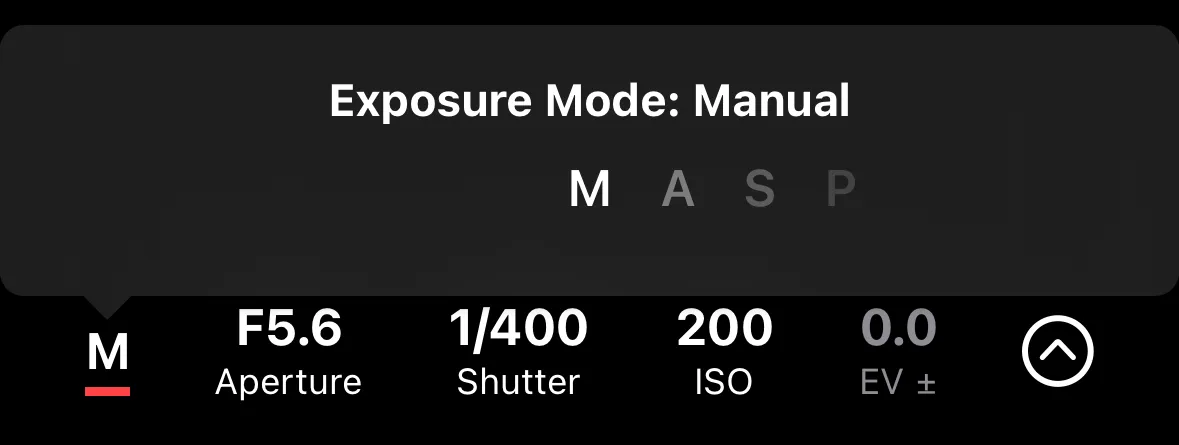
On most cameras, the exposure mode is set using the physical mode dial on the camera body. Shutter+ reads and displays the current mode but cannot change it remotely.
On cameras that allow remote mode switching (some Sony models), you can change the mode by tapping the exposure mode indicator in the app.
BULB Mode
In BULB mode, the shutter stays open for as long as you want — useful for long exposures. How to enter Bulb mode varies by brand:
- Canon — turn the mode dial to B on the camera body.
- Sony — turn the mode dial to M on the camera body (or select M in the app on supported models). Select BULB in shutter speed settings.
- Fujifilm — set the shutter speed dial to B before connecting to the camera.
Use the BULB Timer automation to set a precise exposure duration.