Apple Watch Overview
The Watch app gives you a full remote control of your camera from your wrist. It’s useful when photographing yourself as you don’t need to constantly hide your iPhone away.
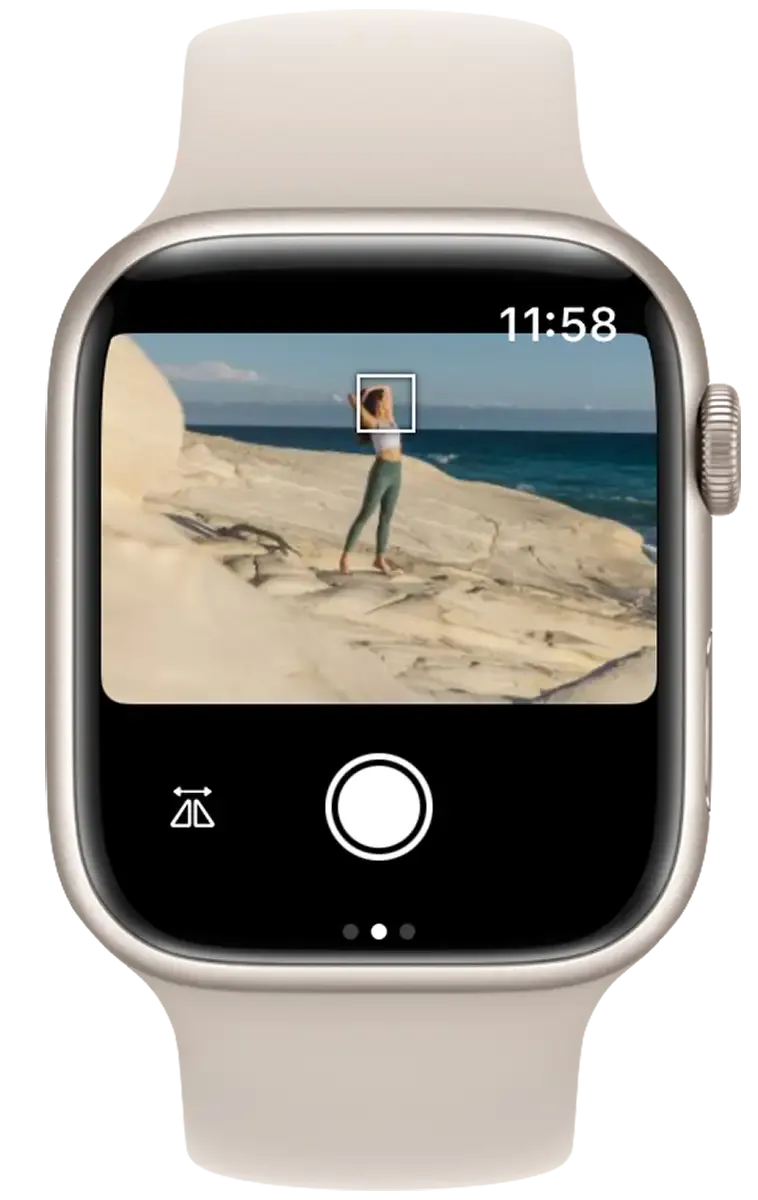
What You Can Do
- Take photos and videos — tap the shutter button on the Watch
- View the live feed — see what your camera sees on the Watch screen
- Adjust focus and exposure — change shutter speed, aperture, ISO, and exposure compensation
- Run timer & intervalometer — start intervalometers and view progress
Requirements
- Your iPhone must be connected to the camera via Wi-Fi.
- Your Apple Watch must be connected to the iPhone (via Bluetooth or Wi-Fi).
If the iPhone is not connected to a camera, the Watch app shows a “Camera not connected” screen. If the Watch can’t reach the iPhone, it shows “Phone not connected.”
You cannot use the Apple Watch app without an iPhone.