Focus Settings
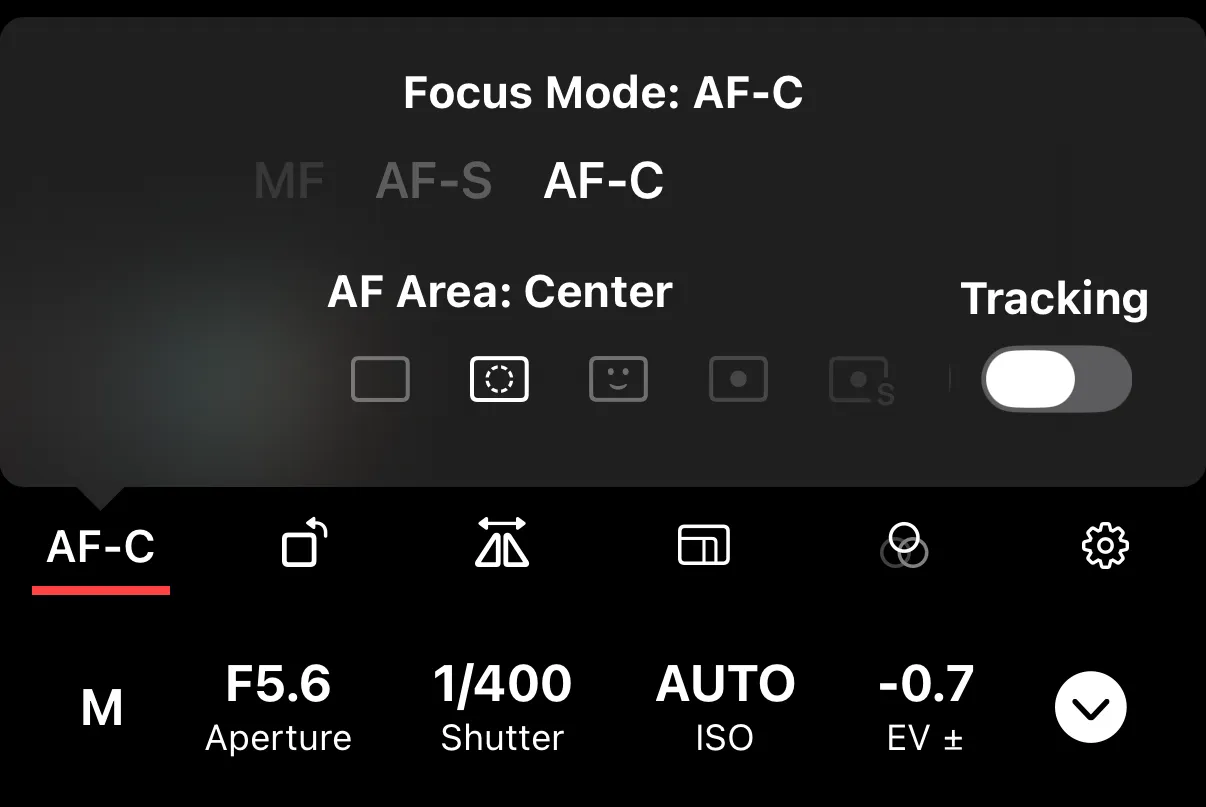
Autofocus Modes
The autofocus mode determines how the camera acquires and maintains focus.
Available Modes
Single (AF-S / One-Shot) — the camera focuses once and locks. Best for stationary subjects like portraits, architecture, or products. Half-press the shutter or tap to focus, and the focus point stays fixed until you release.
Continuous (AF-C / Servo) — the camera continuously adjusts focus to follow a moving subject. Best for sports, wildlife, children, or anything that moves.
Auto (AF-A) — the camera decides between Single and Continuous based on whether the subject is moving. Available on some Sony cameras.
Direct Manual Focus (DMF) — the camera autofocuses first, then lets you fine-tune manually using the focus ring or on-screen controls. Available on Sony cameras. Useful when autofocus gets close but not quite right.
Manual (MF) — fully manual focus. The camera does not autofocus. Use the lens focus ring or the on-screen controls in Shutter+ to set focus. Best when autofocus struggles (low contrast, macro work, through-glass shots) or when you want repeatable focus for multiple frames.
Changing the Mode
Tap the autofocus mode indicator on the remote control screen to select a different mode. Which modes are available depends on your camera model.
Some cameras also have a physical AF/MF switch on the lens or body. The app reflects whichever mode is currently active.
Autofocus Area
The autofocus area determines where in the frame the camera looks for a subject to focus on.
Common Options
Wide — the camera selects a focus point from the entire frame. Good for general shooting when you trust the camera’s subject detection.
Center — focuses on the center of the frame. Predictable and simple.
Spot — focuses on a small, precise point. Some cameras let you choose the spot size: Extra Small, Small, Medium, Large, or Extra Large. Best when you need exact control over which part of the scene is sharp.
One Point — a single selectable focus point. Similar to Spot but uses the camera’s point-selection system. Common on Canon cameras.
Expand Point / Expand Area — focuses on your selected point plus the surrounding points as a fallback. Useful for subjects that move slightly.
Zone — focuses within a larger rectangular area. Available in horizontal and vertical orientations on some cameras. Good for subjects that move within a general area.
Face / Eye Detection — automatically detects and focuses on faces or eyes. Best for portraits and people photography.
Tracking — locks onto a subject and follows it as it moves through the frame. Works with Continuous AF mode.
Flexible Spot — an adjustable focus point you can position freely. Available on Sony cameras.
Changing the Area
Tap the autofocus area indicator on the remote control screen to select a different area. Available areas depend on your camera model and the current autofocus mode.