Aspect Ratio Guides
Aspect ratio guides darken the areas outside a selected crop ratio, so you can preview how your photo will look when cropped. The full frame is always captured — the guide is purely visual.
Available Ratios
| Ratio | Use Case |
|---|---|
| 1:1 | Square — social media, album covers |
| 3:2 | Standard DSLR and mirrorless sensor ratio |
| 4:3 | Micro Four Thirds, compact cameras |
| 5:4 | Print sizes like 8x10 |
| 16:9 | Widescreen video |
| 16:10 | Widescreen displays |
| XPAN 65:24 | Ultra-wide panoramic (Hasselblad XPAN style) |
Enabling Aspect Ratio Guides
Open composition tools (nested rectangles icon) from the controls row and select your desired aspect ratio. Enable and hide the aspect ratio overlay by tapping the on/off toggle before the “Aspect Ratio” header.
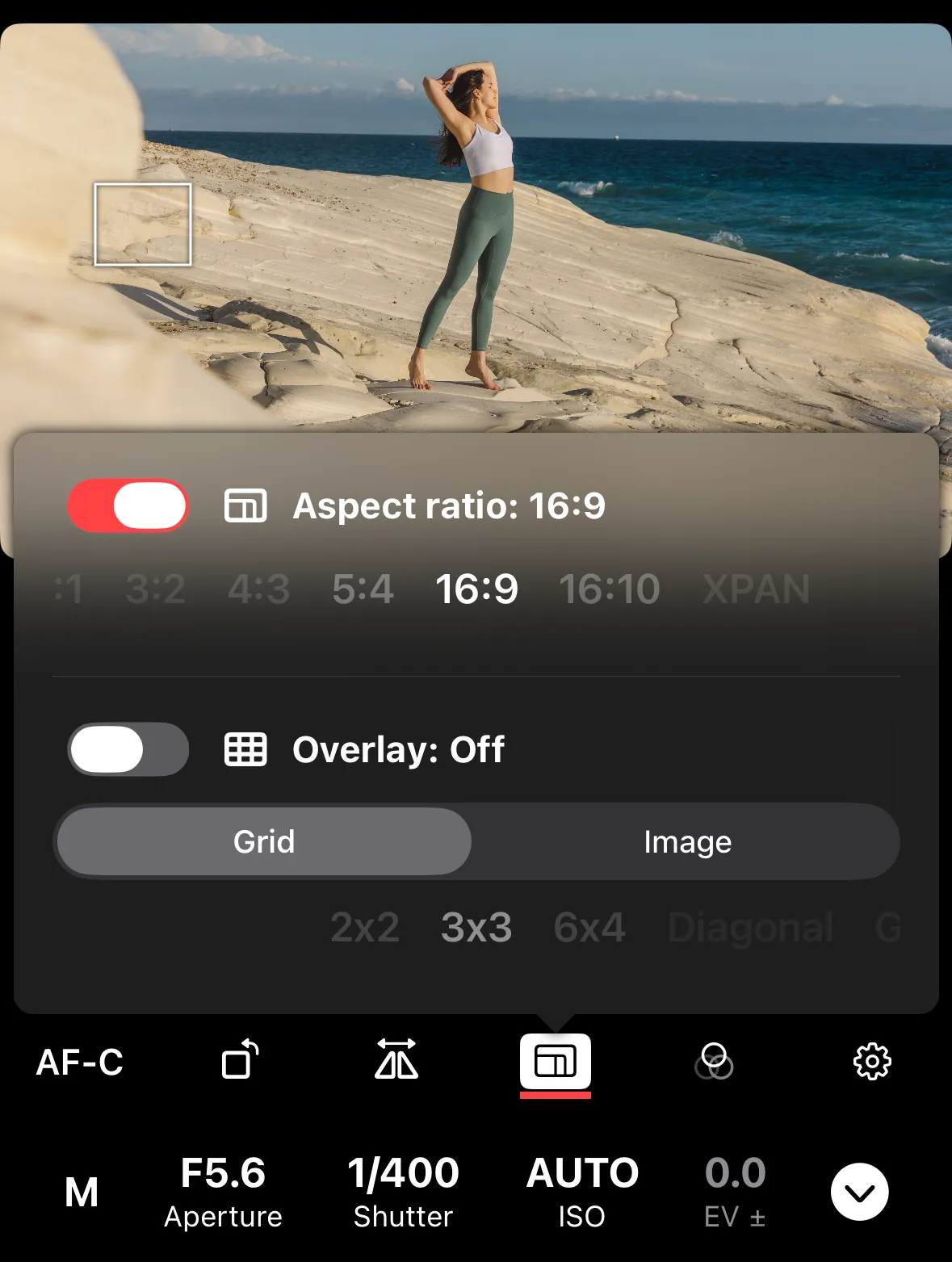
The guide works alongside grid overlays — you can use both at the same time. The grid adjusts to fit within the selected aspect ratio. Your selection is saved between sessions.