Shutter Speed
Shutter speed controls how long the sensor is exposed to light. Faster speeds freeze motion; slower speeds create motion blur.
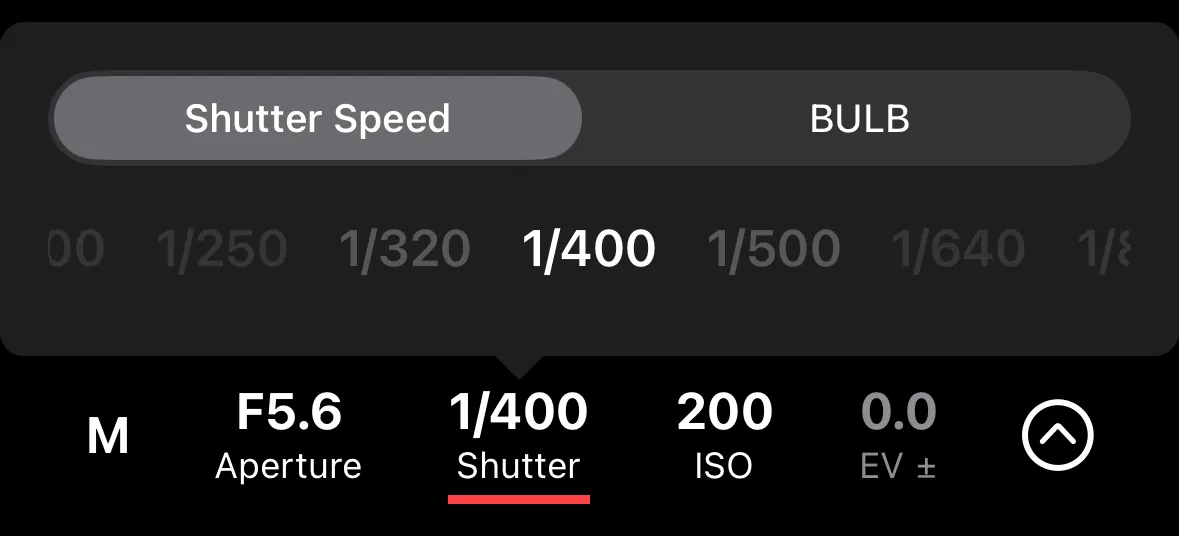
Tap the shutter speed value on the remote control screen to adjust it. Available values depend on your camera and the current exposure mode.
Display Format
Shutter speed is shown as:
- A fraction for fast speeds — e.g., 1/250, 1/1000
- Seconds for slow speeds — e.g., 1”, 30”
- Auto when the camera is controlling shutter speed (in Aperture Priority or Program Auto mode)
- BULB when in BULB mode
Auto Shutter Speed
In Aperture Priority and Program Auto modes, the camera sets the shutter speed automatically. The current value is displayed but cannot be adjusted. Switch to Manual or Shutter Priority mode for direct control.
BULB Mode
In BULB mode, the shutter stays open for a duration you control and can expose photos for up to 1 hour. Shutter+ handles this differently depending on the camera:
- Sony — Shutter+ uses an in-app timer and sends shutter press & release commands to the camera.
- Canon — Shutter+ uses an in-app timer and sends shutter press & release commands to the camera.
- Fujifilm — the camera supports a set of predefined BULB durations. Select one from the available values.
For more information about BULB timing, see BULB Timer automation.