Exposure Compensation
Exposure compensation lets you make the image brighter or darker than what the camera’s meter suggests. It’s measured in EV (exposure value) stops.
- Positive values (+1, +2) brighten the image.
- Negative values (-1, -2) darken the image.
- 0 EV uses the camera’s metered exposure without adjustment.
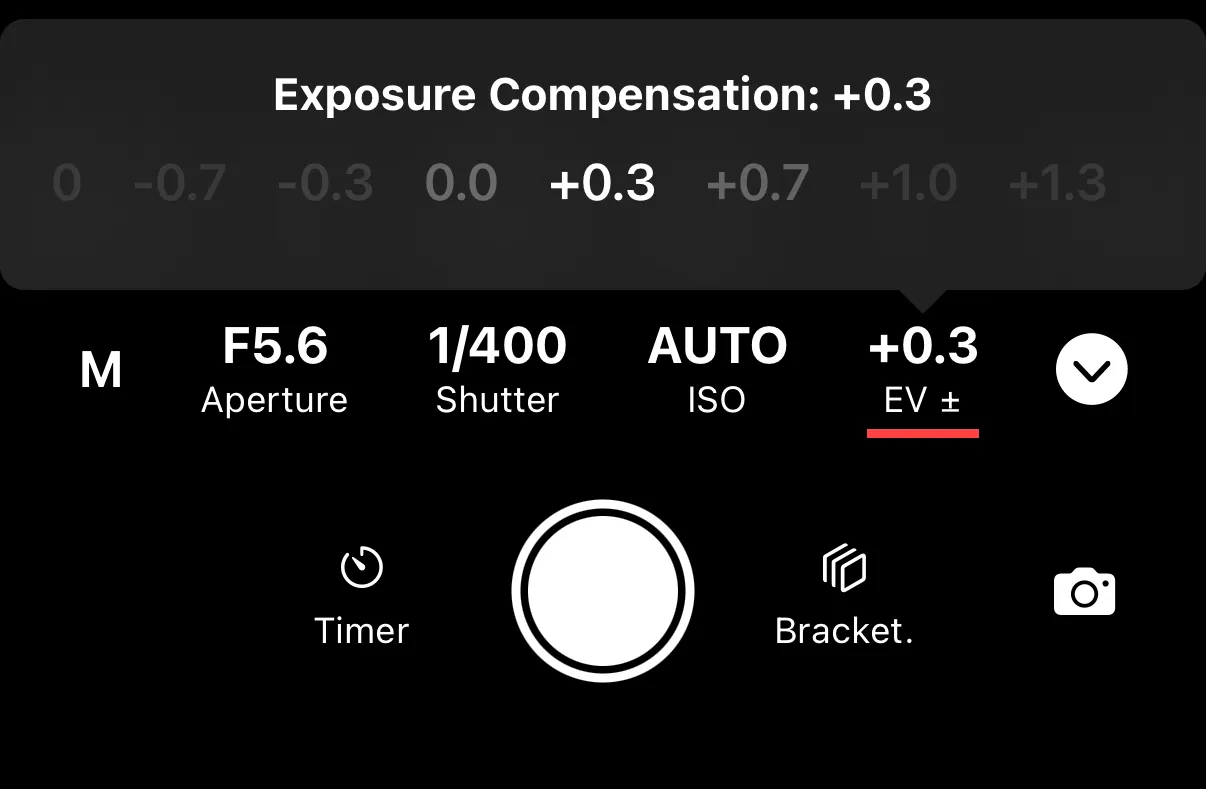
Tap the EV value on the remote control screen to adjust it. Most cameras offer a range of -3 EV to +3 EV in 1/3 EV steps.
When It’s Available
Exposure compensation works in modes where the camera controls at least one exposure parameter:
- Aperture Priority — the camera adjusts shutter speed to apply the compensation.
- Shutter Priority — the camera adjusts aperture.
- Program Auto — the camera adjusts both.
In Manual mode, exposure compensation is available in AUTO ISO mode.
When to Use It
Use exposure compensation when the camera’s automatic metering doesn’t match what you want — for example, brightening a backlit subject or darkening a snow scene that the meter overexposes.